Product UI guide
Visual tour of the Codesteward Review web app: dual-mode reviews (Gate for PRs, Stewardship for branches), durable findings, org tenancy, and install-wide platform controls.
Screenshots from a self-hosted install with Keycloak identity and a GitHub App connector. Your org name and data will differ.
Map of the product
Overview          Dashboard · Analytics
Review            Gate · Steward · Findings · Reports · PRs · Cross-Repo
Trust             Learnings
Tenant            Connectors · Members · Models · Prompts · Policy · Organization
You & install     Account · Platform · Platform ops · Settings hub
| Concern | Where in the UI |
|---|---|
| Start a PR merge check | Gate |
| Audit a long-lived branch | Steward |
| Live progress, report, audit | Session blade (from Gate/Steward table) |
| Issue backlog + SARIF | Findings |
| Human-readable history | Reports |
| SCM browse / open PRs | PRs |
| Multi-repo fan-out | Cross-Repo |
| 👍/👎 memories | Learnings |
| GitHub App, Graph, tools | Connectors |
| Org roles & IdP provision | Members |
| Models, policy, SCIM | Models · Policy · Organization |
| Install health & license | Platform (platform operator) |
1. Onboarding
New users without an org (or after first IdP login) land on a three-step path: create org → install GitHub App → first review.
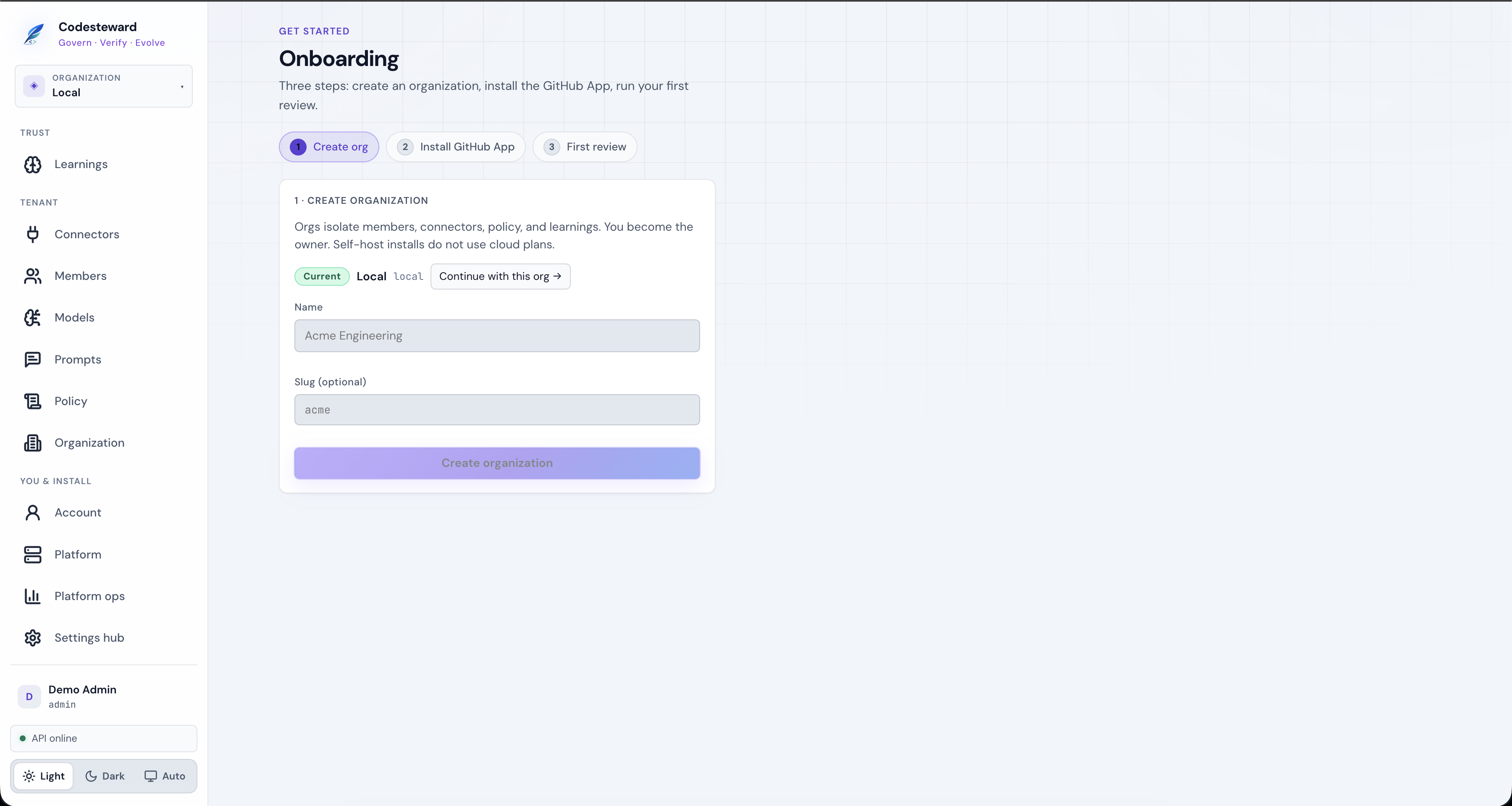
Self-host installs often already have a Local org; choose Continue with this org or create a new tenant.
2. Dashboard
Control plane home: KPIs, recent sessions, and a live activity stream of sessions and new findings.
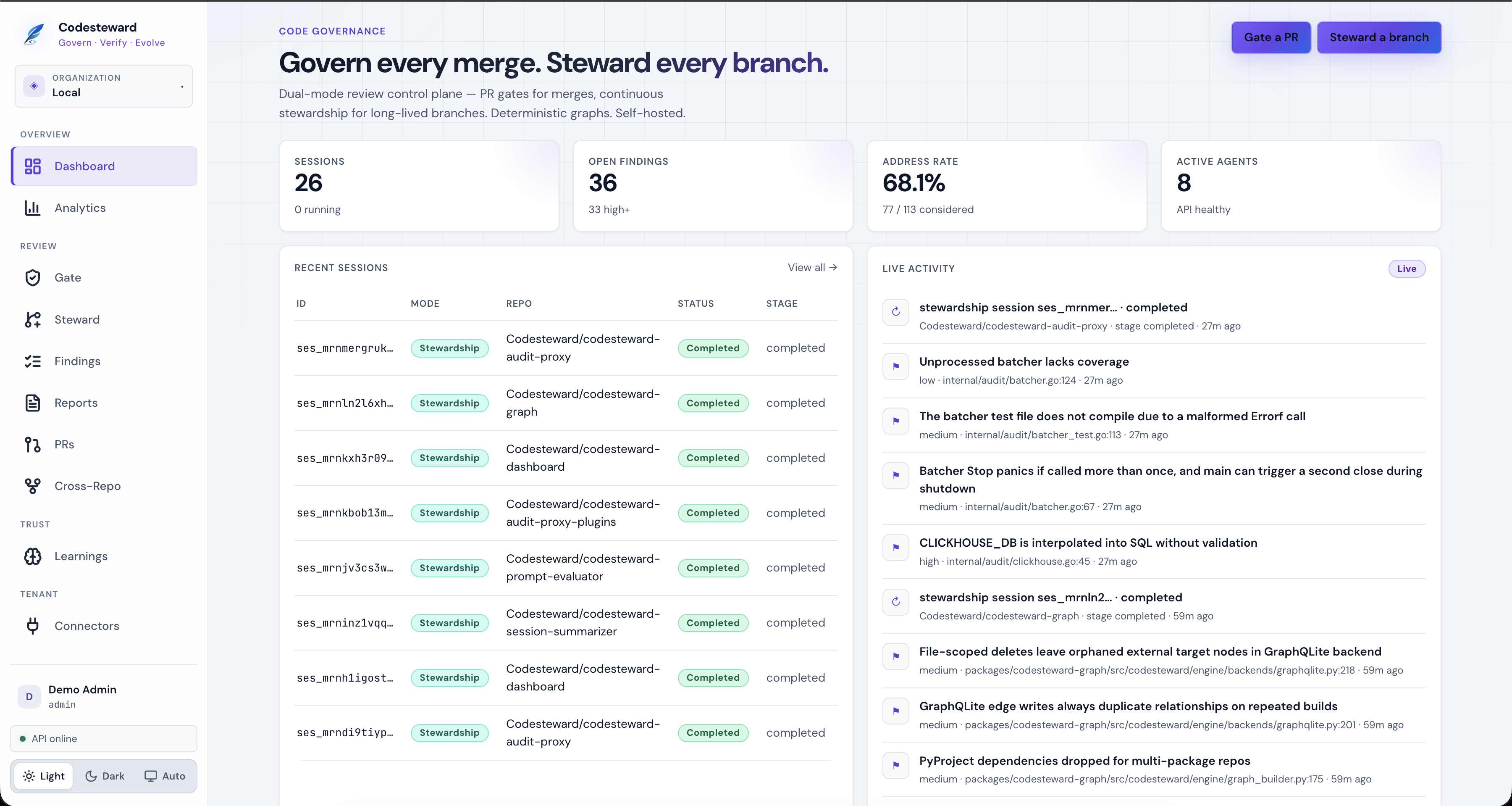
Shortcuts:
- Gate a PR / Steward a branch jump into the start forms.
- Open a session row to open the session blade (pipeline, report, audit).
3. Analytics
Org-scoped quality metrics (address rate, severity mix, session outcomes). Charts are pure CSS — no external chart SDK.
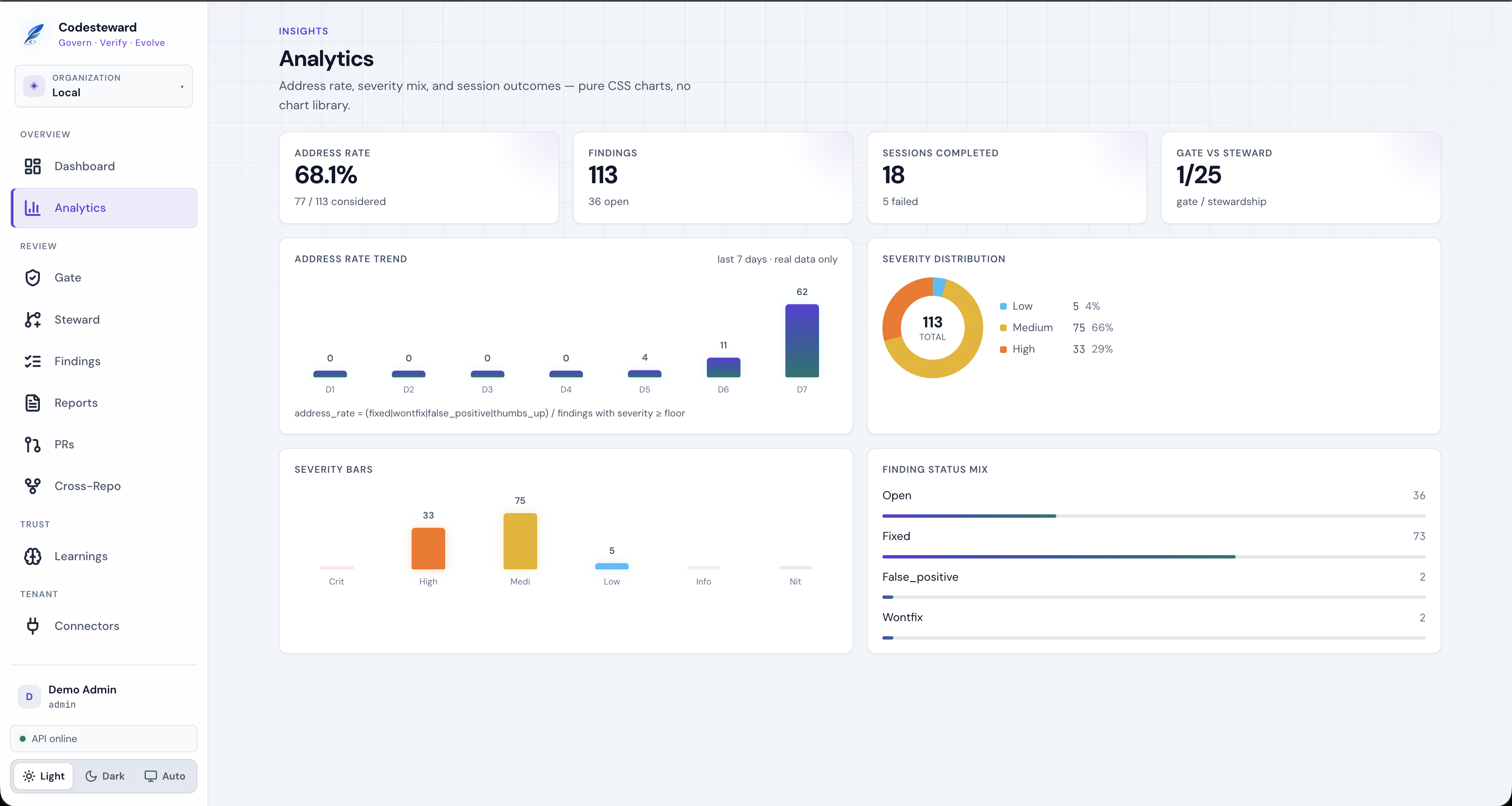
Use this for leadership-friendly trends; use Platform ops for SRE latency and token cost across all orgs.
4. Running reviews (Gate & Steward)
Start form
Gate is PR-only (base/head from the PR via SCM). Steward is branch/path audit (no PR field by design).
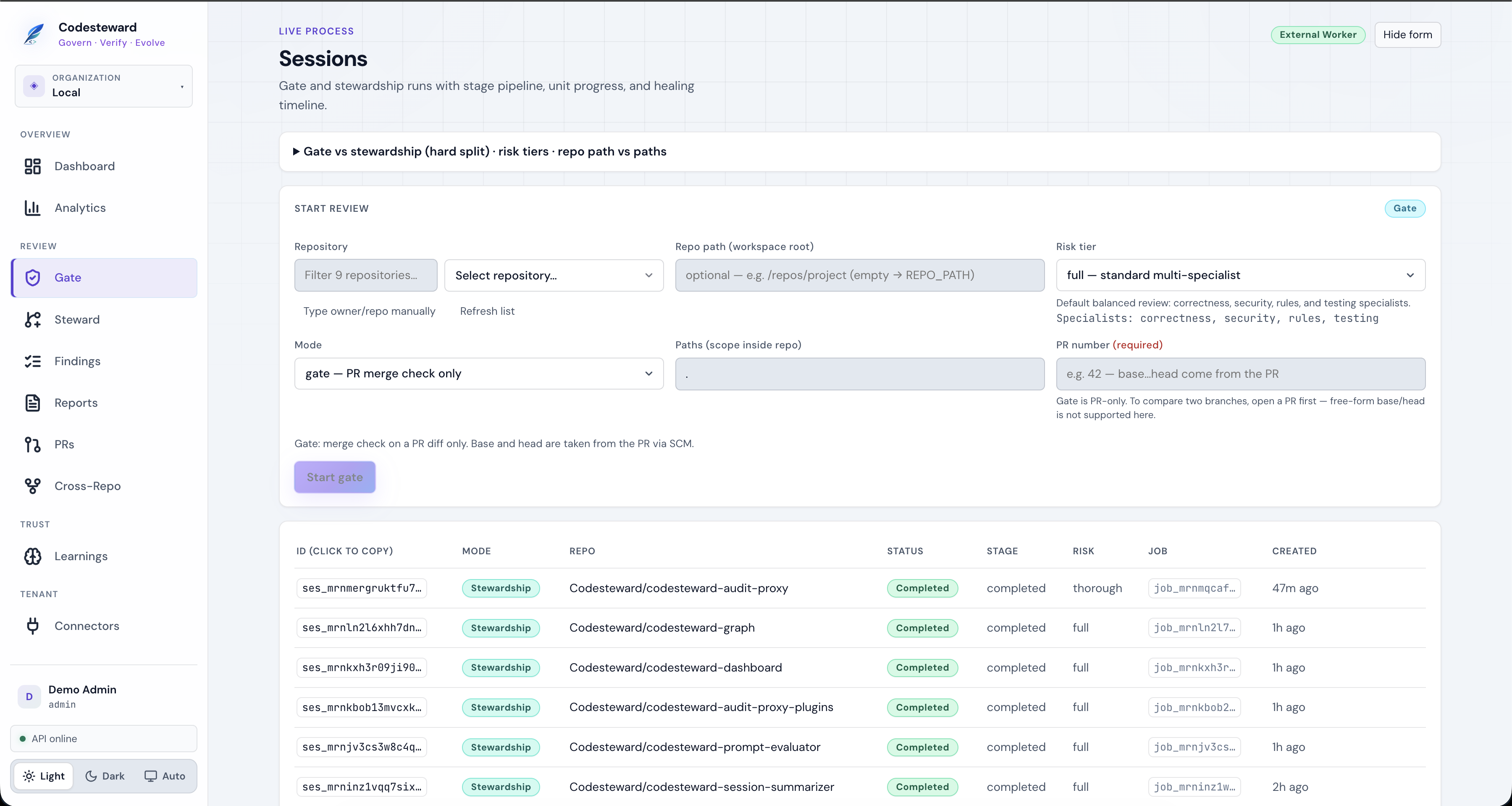
Typical fields:
| Field | Notes |
|---|---|
| Repository | From connected SCM, or type owner/repo |
| Mode | gate vs stewardship |
| Risk tier | Specialist set (e.g. full = correctness, security, rules, testing) |
| Paths | Scope inside the repo (. = whole tree for stewardship) |
| PR number | Required for gate |
Live session blade
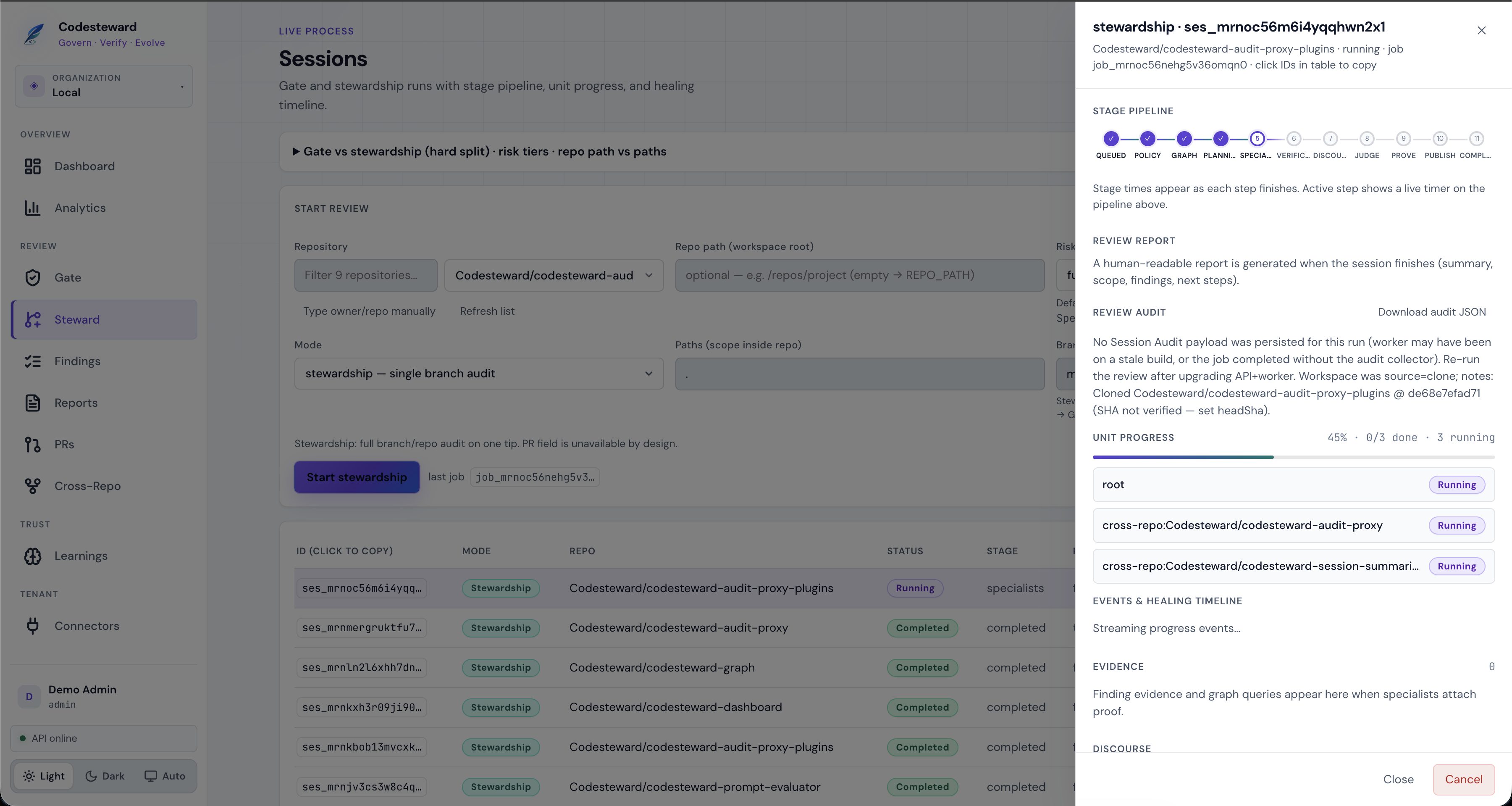
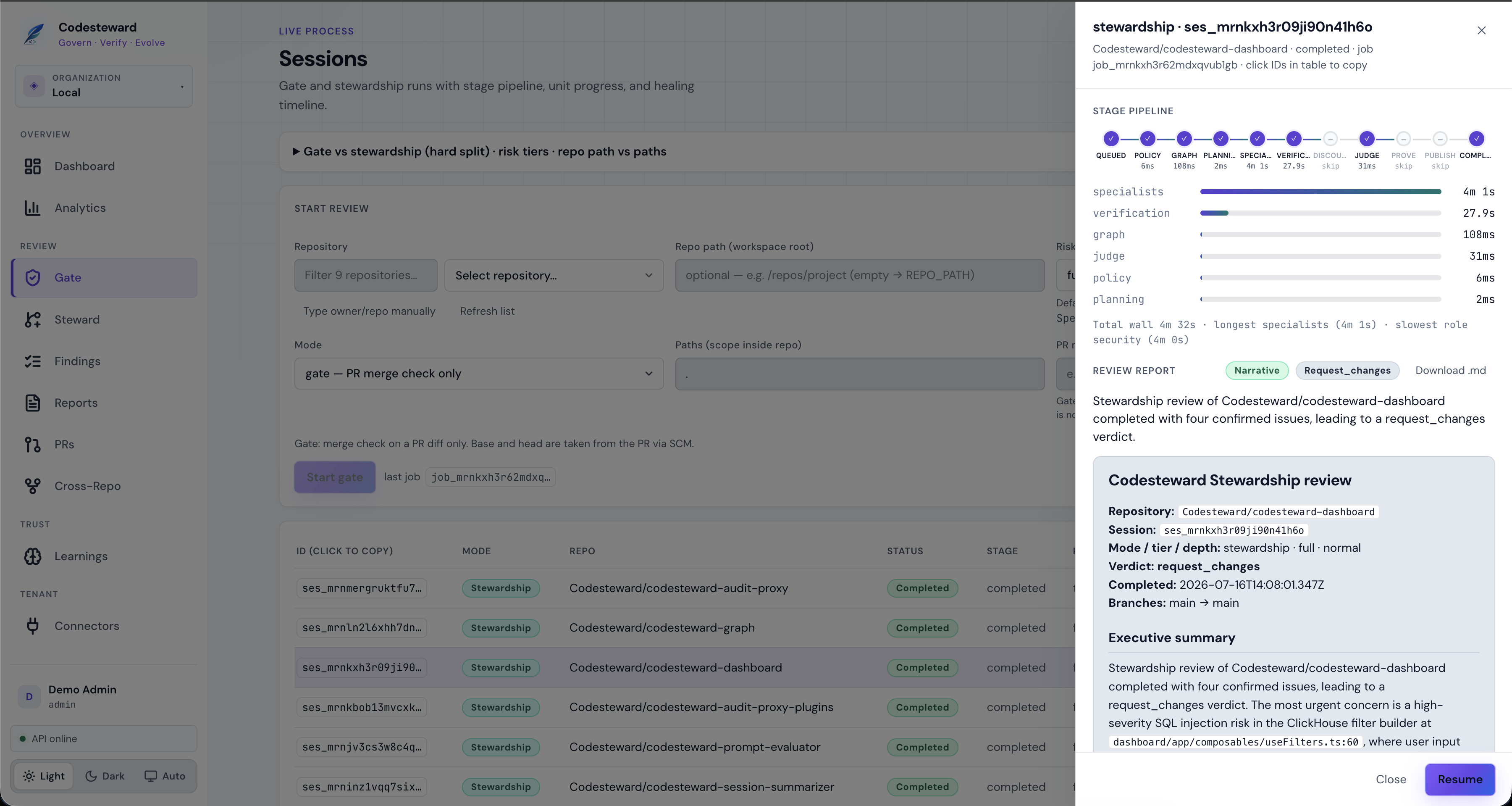
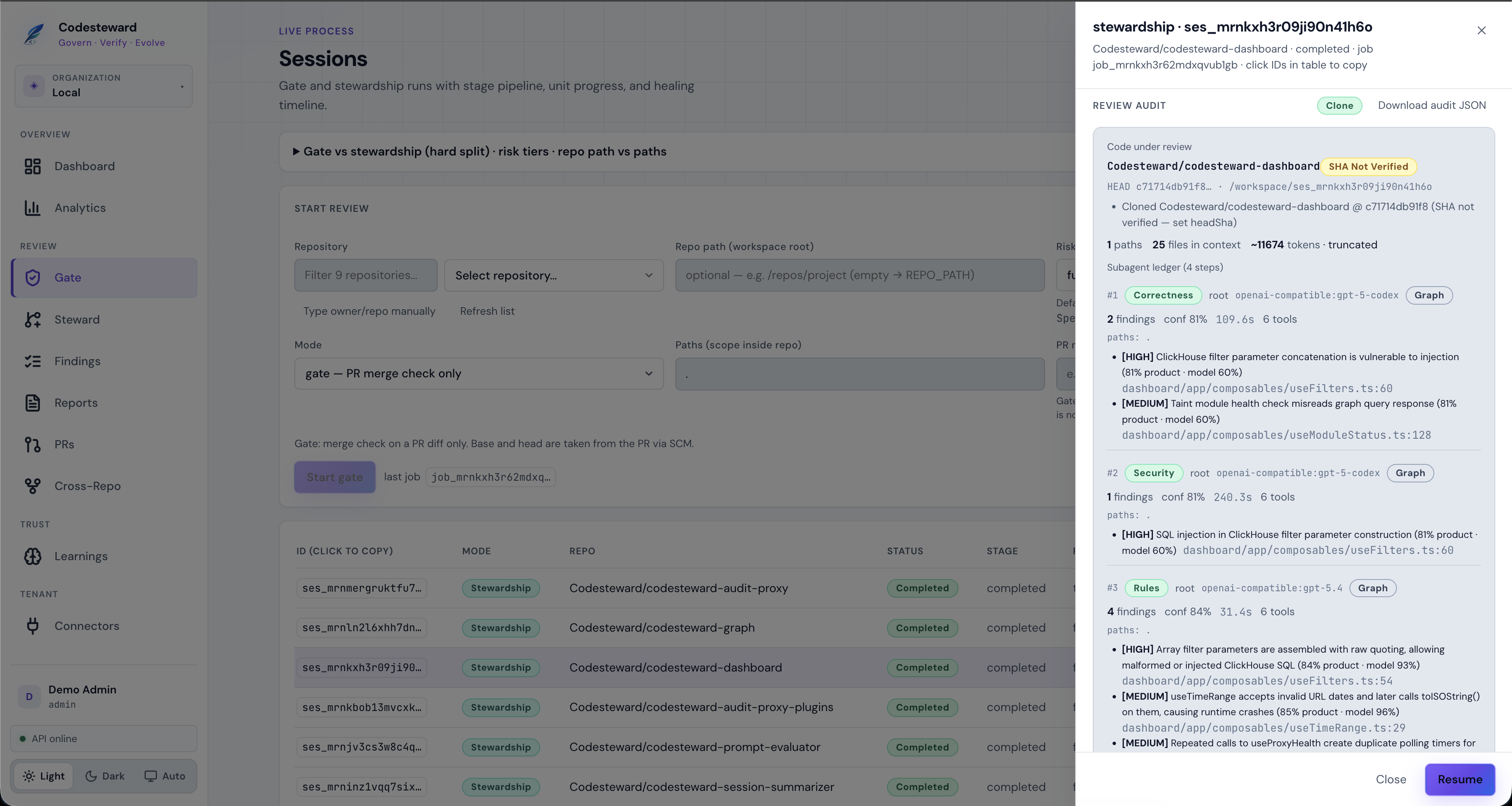
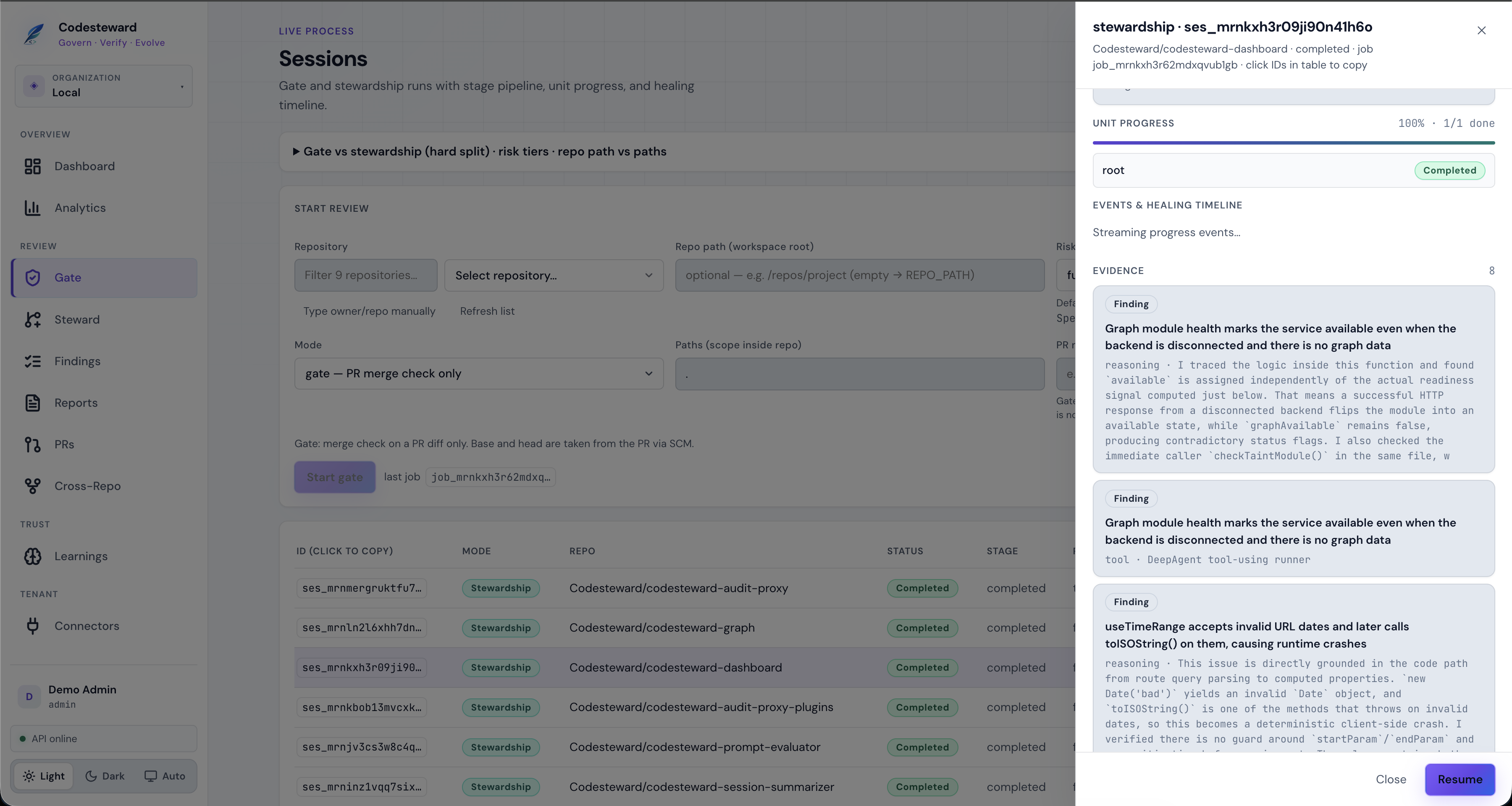
While a job runs (or after it completes), the right-hand blade shows stage pipeline, units, evidence, and report.
In progress — pipeline steps fill as they finish; cross-repo fan-out shows multiple units:
Completed — stage timings and narrative report:
Review audit (code provenance + specialist ledger) — export lives here:
Evidence — findings with specialist reasoning:
Token usage — list-price estimate by model (not an invoice):
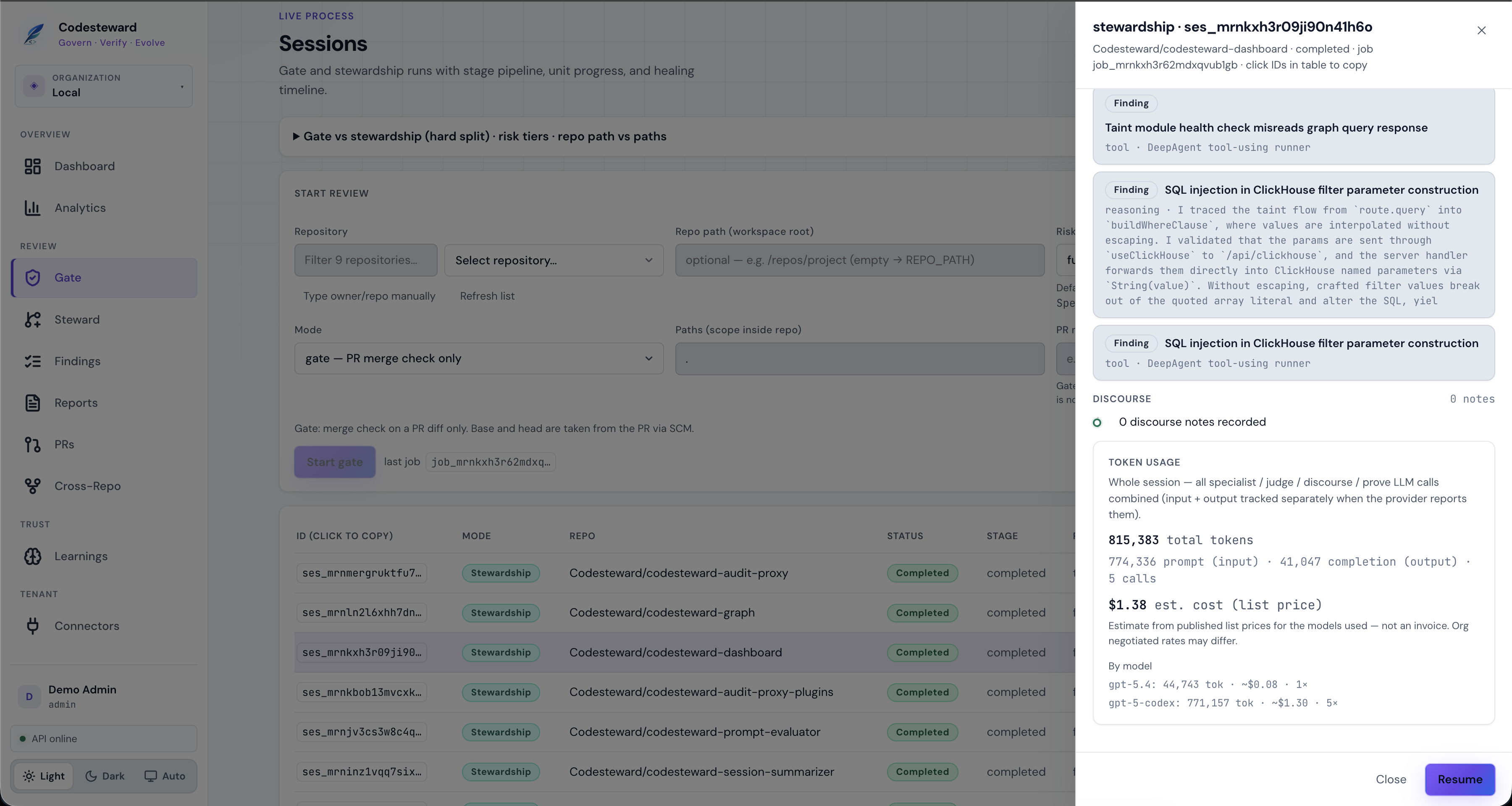
Deep dive on audit fields: Session audit. Pipeline stages: Review pipeline.
5. Findings
Durable issues across gate and stewardship. Filter by severity, status, and repo; export SARIF for CI.
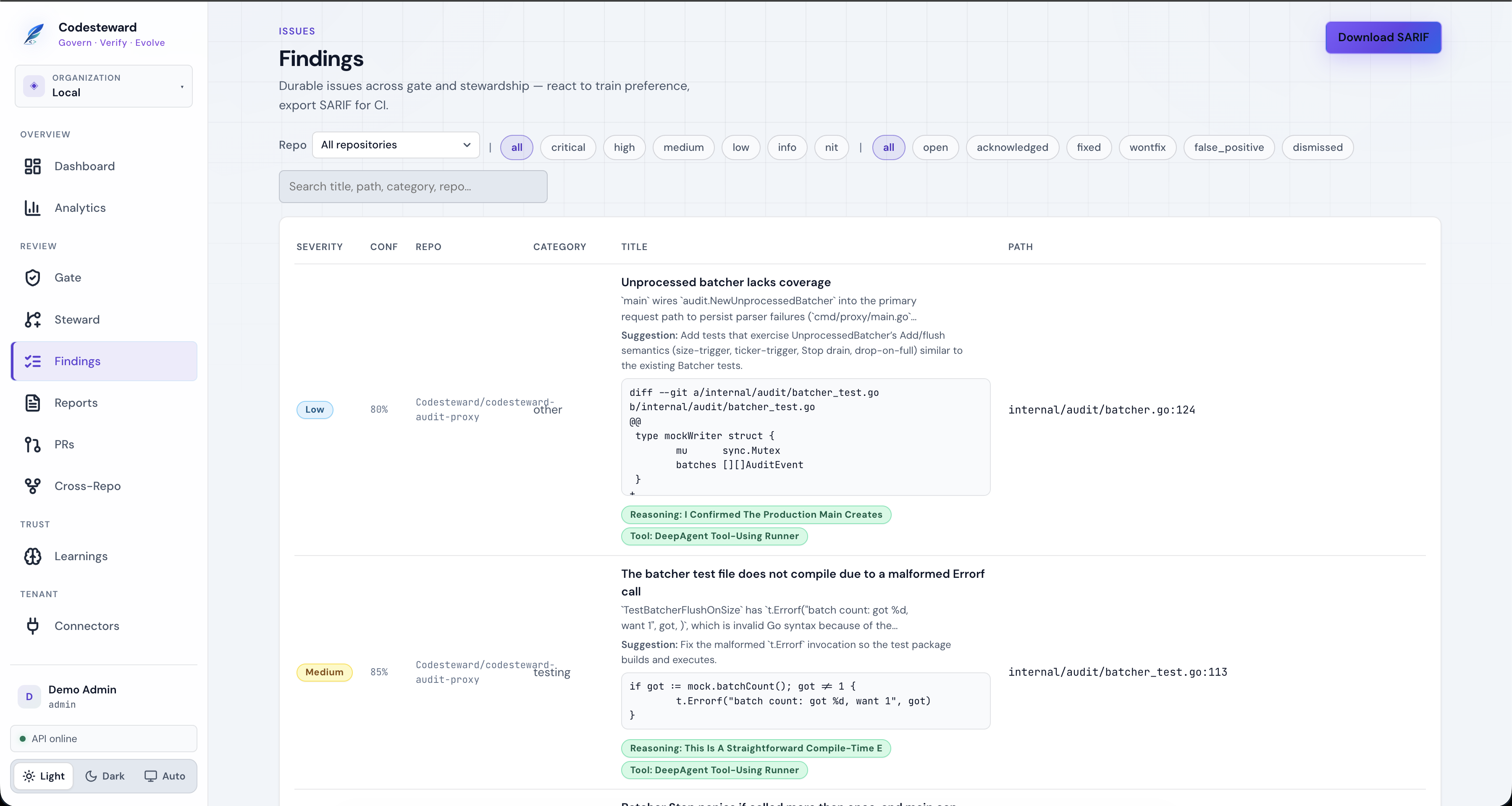
Each row shows confidence, category, suggested fix when policy allows, and reasoning/tool badges. React 👍/👎 on findings to train Learnings.
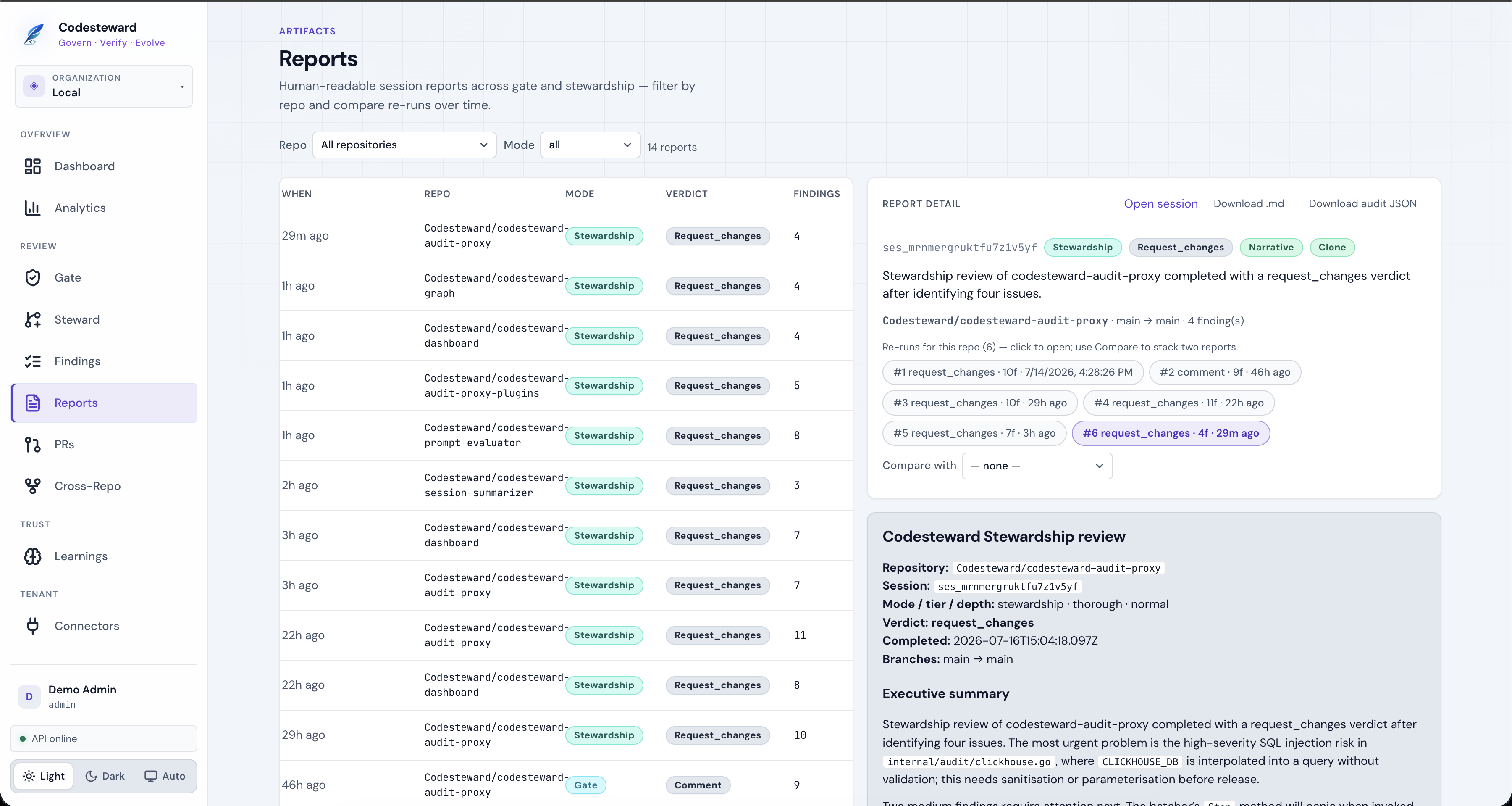
6. Reports
Catalog of human-readable session reports. Open a row for executive summary, compare re-runs on the same repo, download .md or audit JSON.
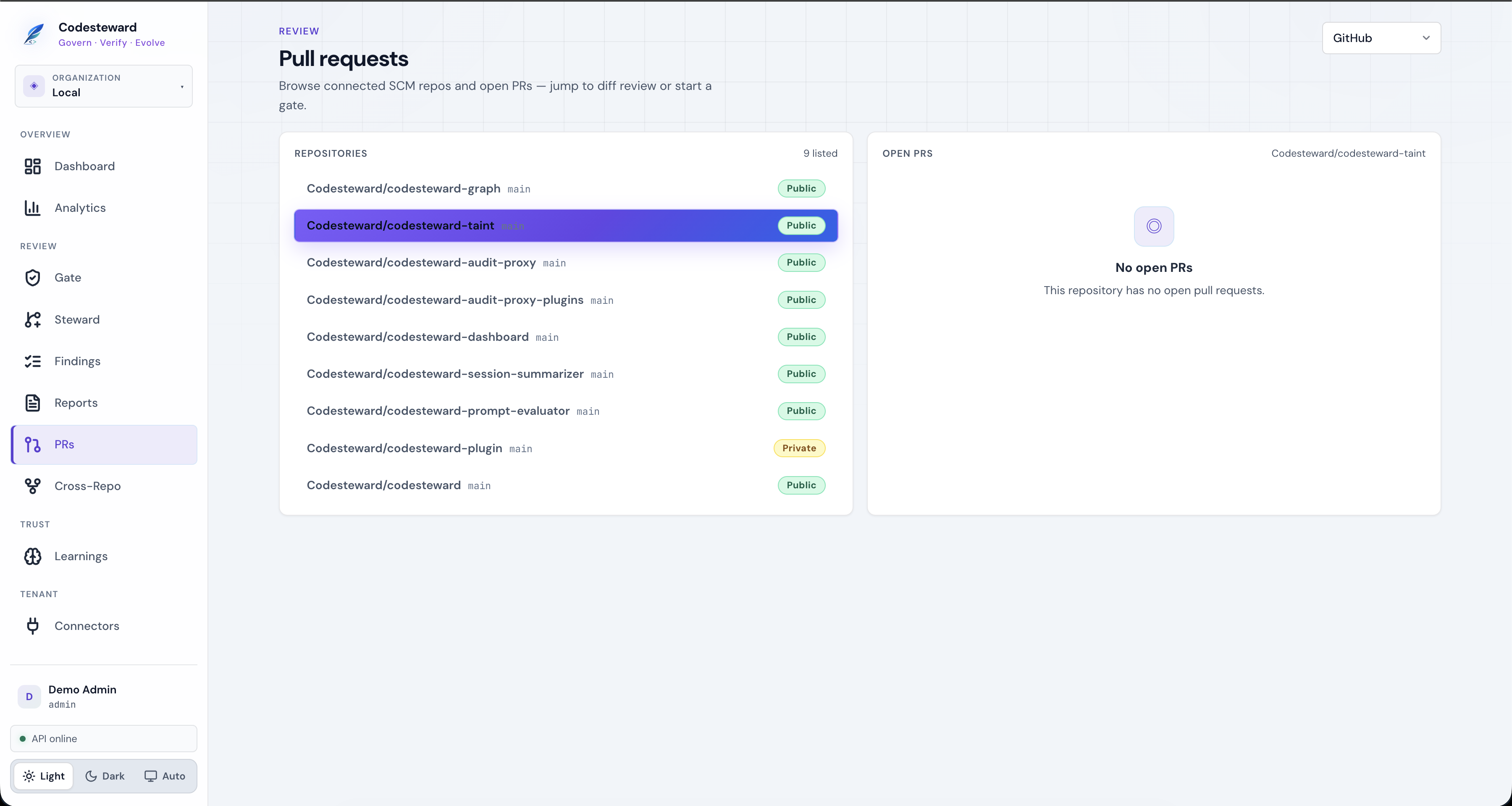
7. Pull requests
Browse connected SCM repositories and open PRs — jump to diff review or start a gate from context.
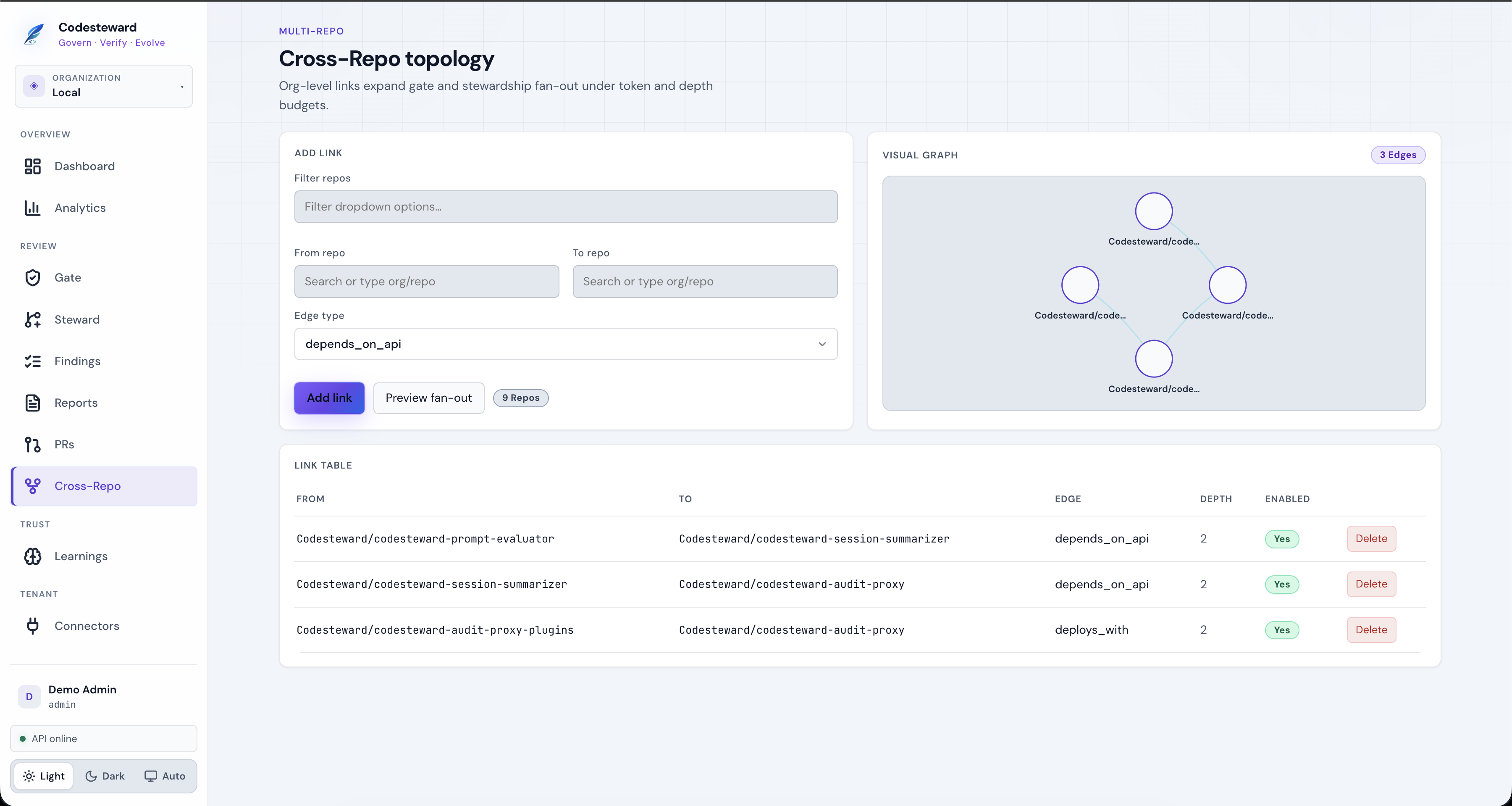
8. Cross-repo topology
Declare edges between repos (depends_on_api, deploys_with, …). Stewardship/gate fan-out can expand along links under depth and token budgets.
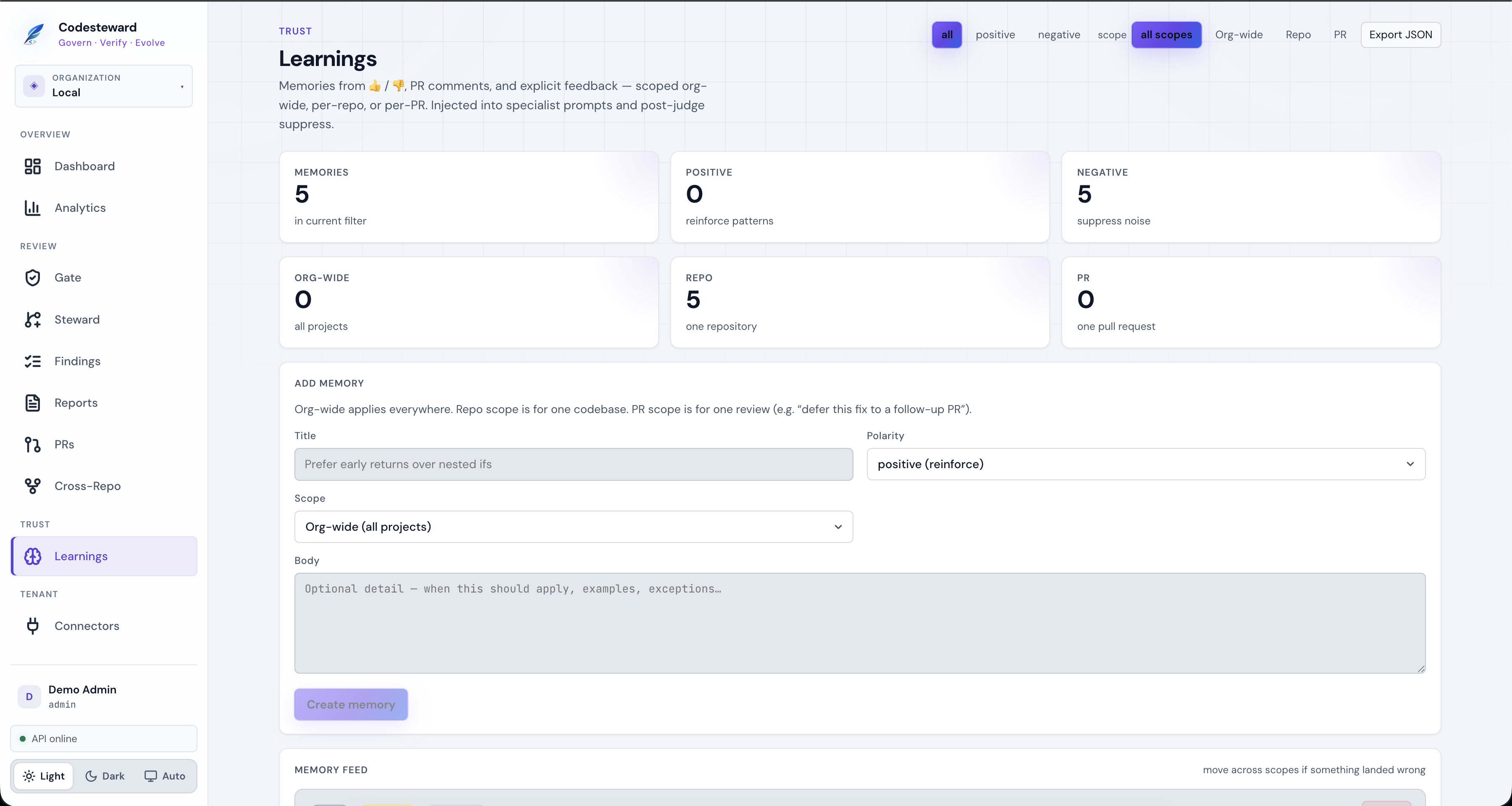
9. Learnings
Org memories from reactions and explicit feedback. Scoped org-wide, repo, or PR. Injected into specialist prompts and post-judge noise suppression.
10. Connectors
Enterprise Git connectors prefer GitHub App / OAuth installs, not long-lived personal tokens. Also Graph MCP, issue trackers, Confluence, etc.
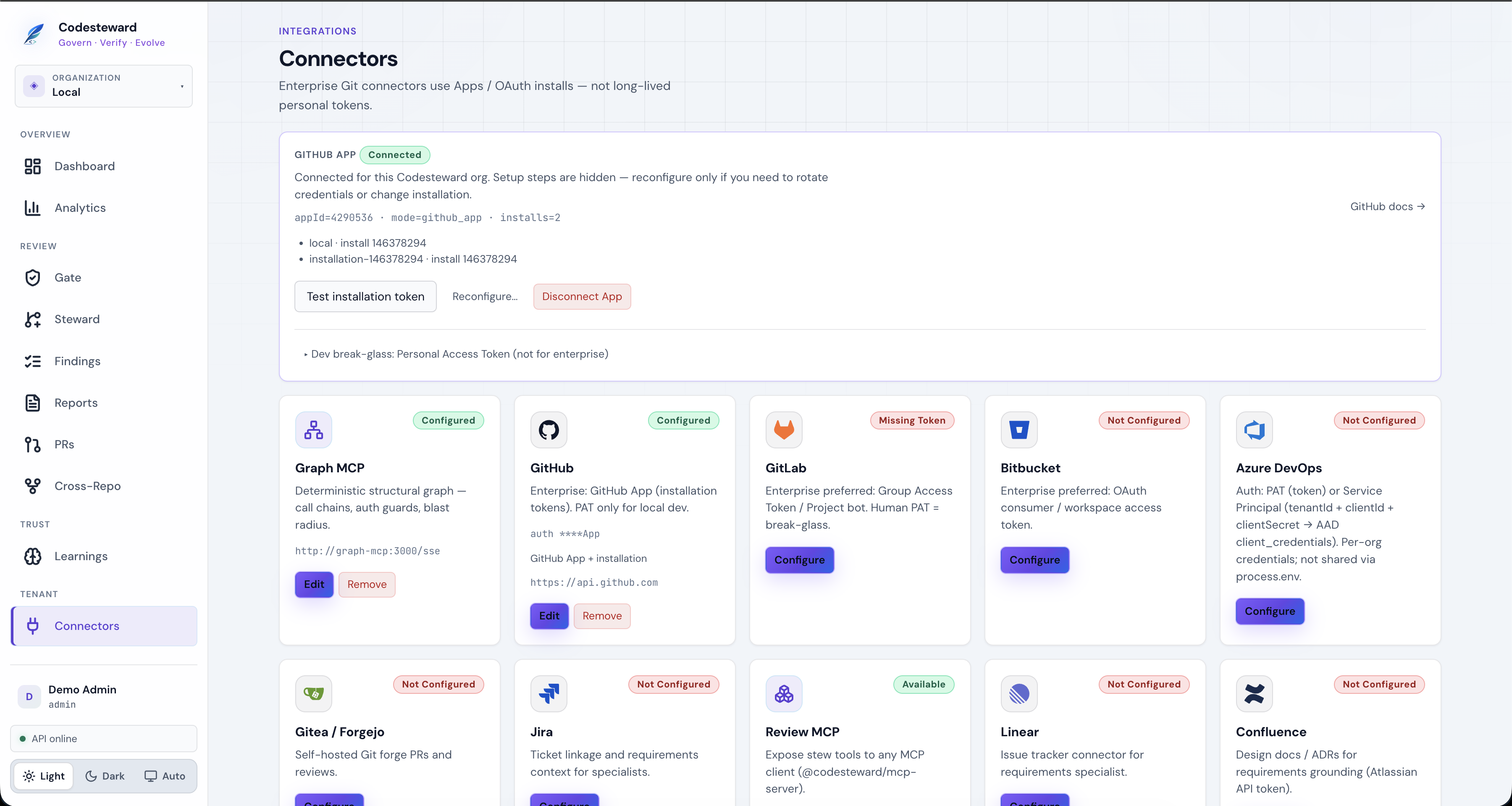
After GitHub App is connected, setup steps collapse; use Test installation token or Reconfigure when rotating credentials.
11. Members & roles
Org membership is separate from platform operator. With Keycloak, this page provisions directory users and links them to the org.
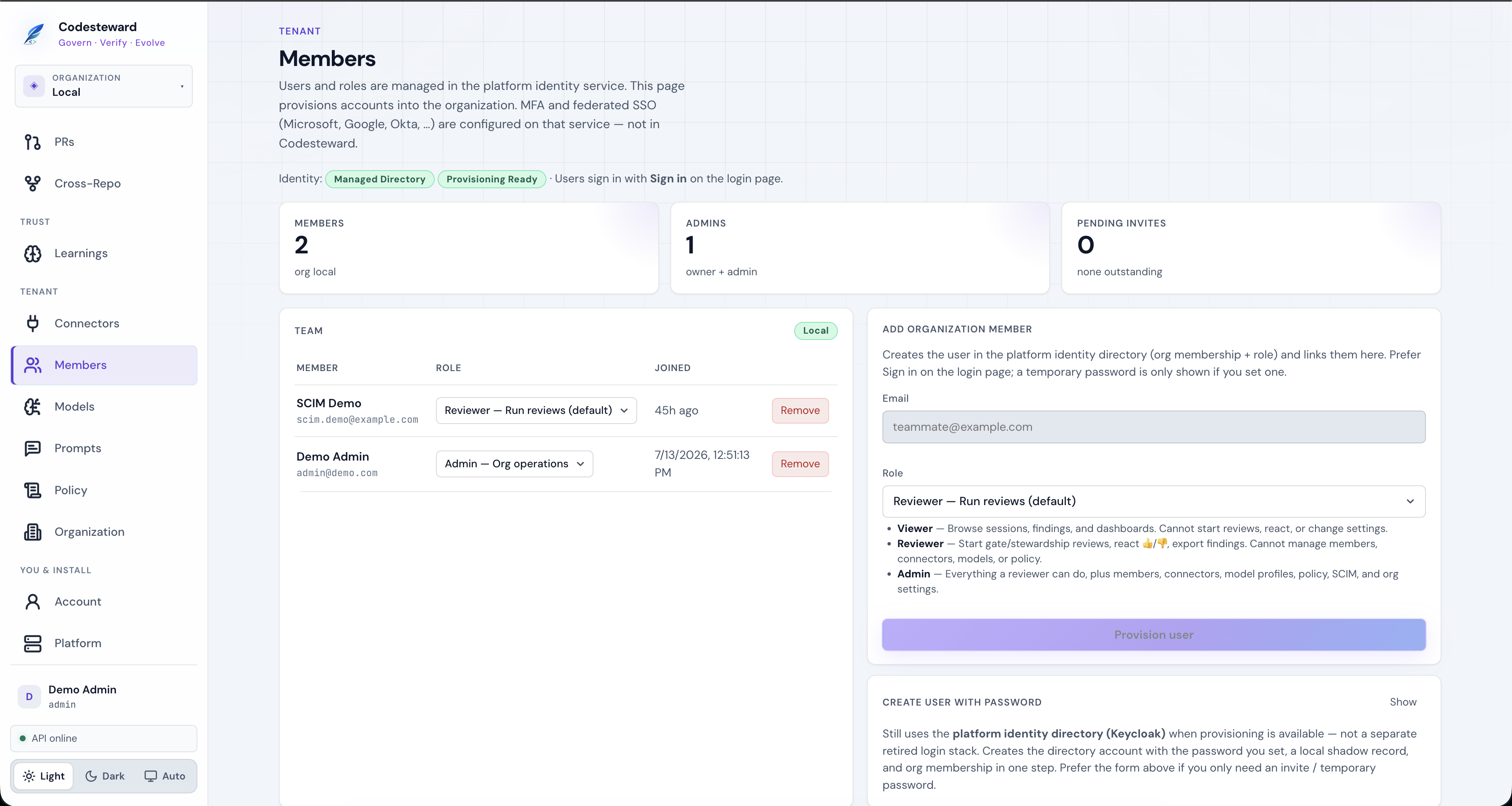
| Role | Capabilities |
|---|---|
| Viewer | Read-only sessions, findings, dashboards |
| Reviewer | Start reviews, react, export (default) |
| Admin | Members, connectors, models, policy, SCIM, org settings |
| Owner | Admin + org ownership |
Platform-wide install settings require platform operator (first bootstrap / first OIDC user, STEW_PLATFORM_ADMIN_EMAILS, or platform_admin flag) — not org admin alone.
12. Models
Per-org provider keys (encrypted) and stage routing. Host env is fallback for single-tenant dogfood only.
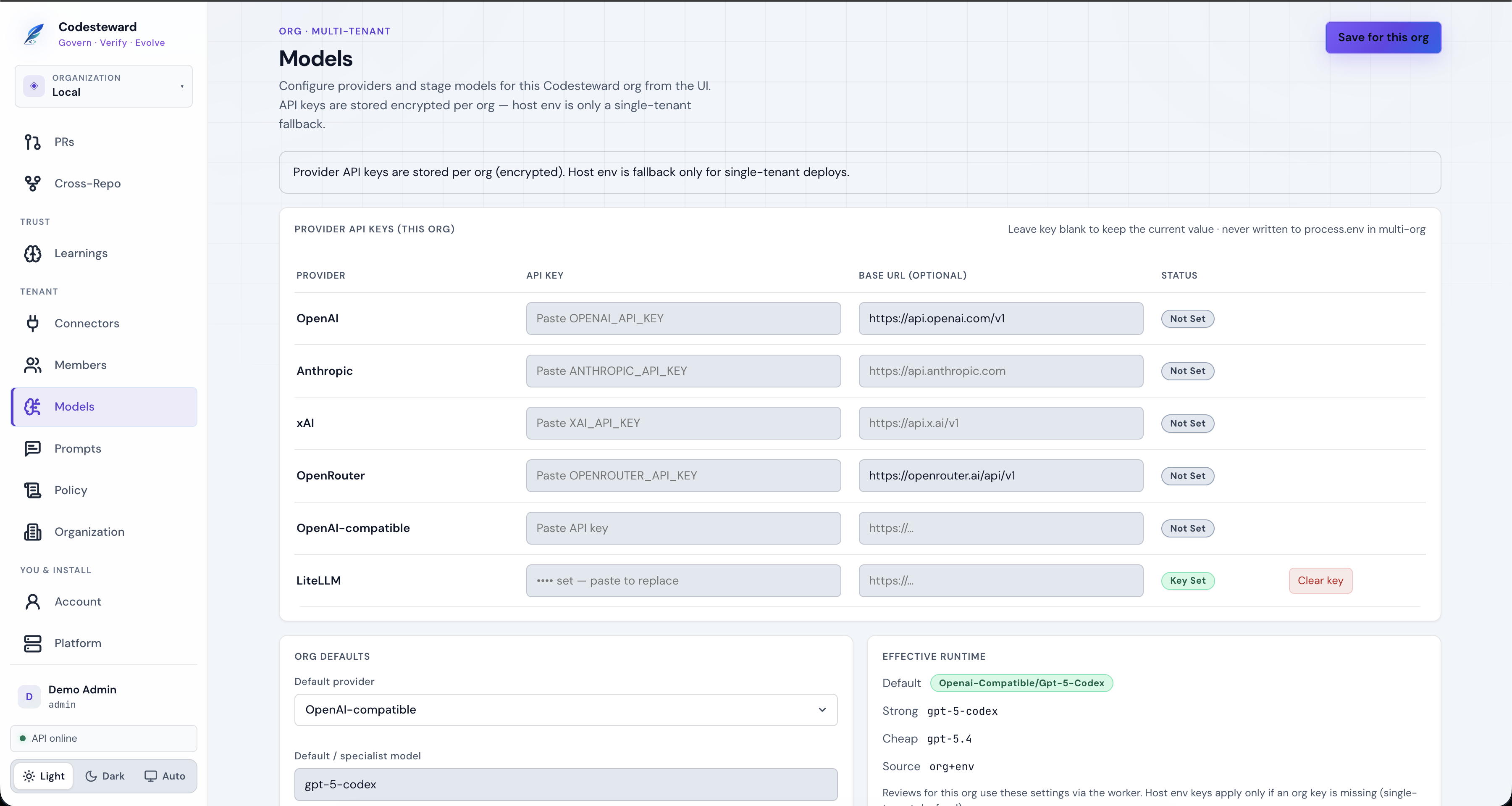
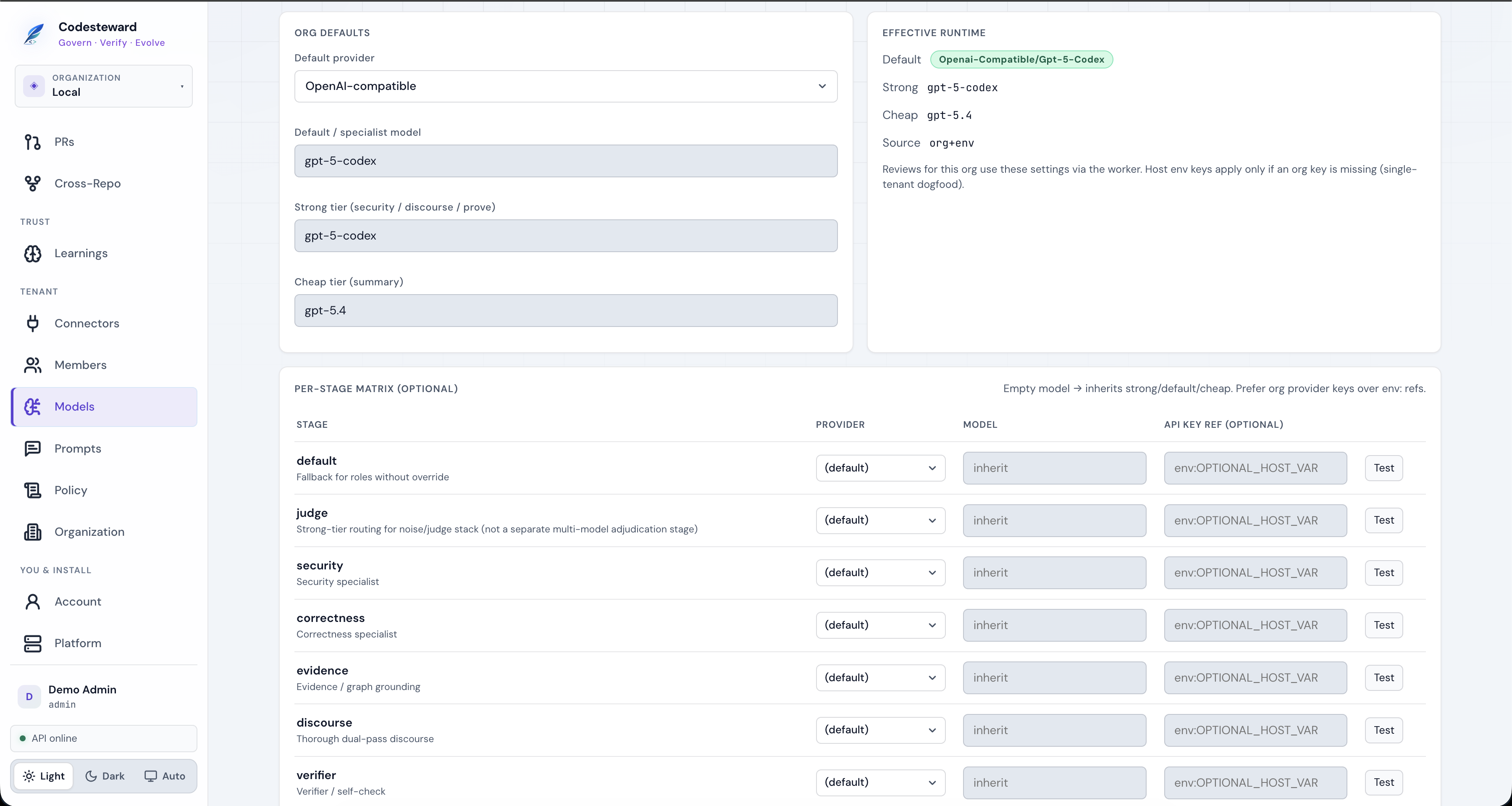
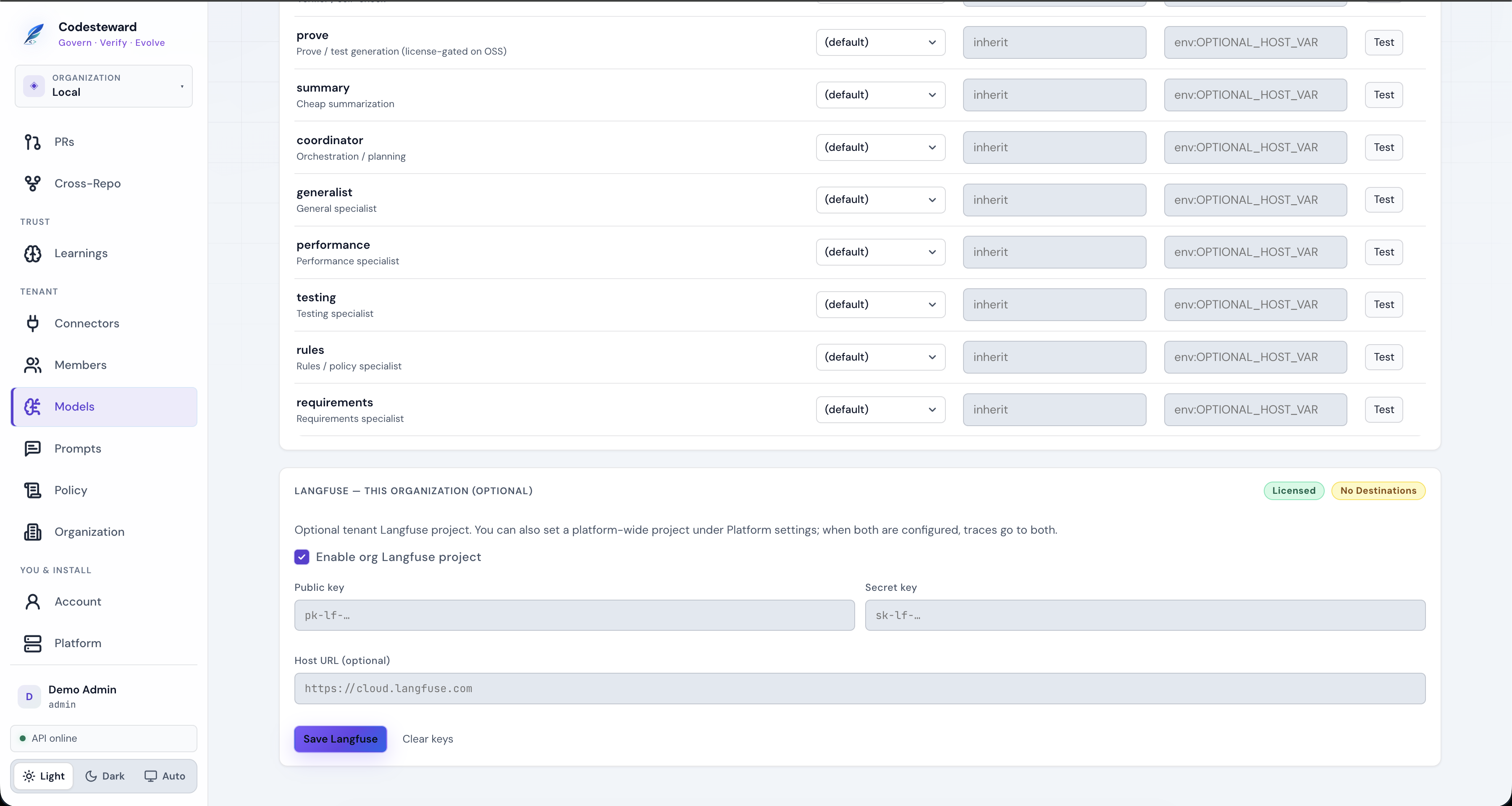
Optional Langfuse dual-writes with a platform project when both are set.
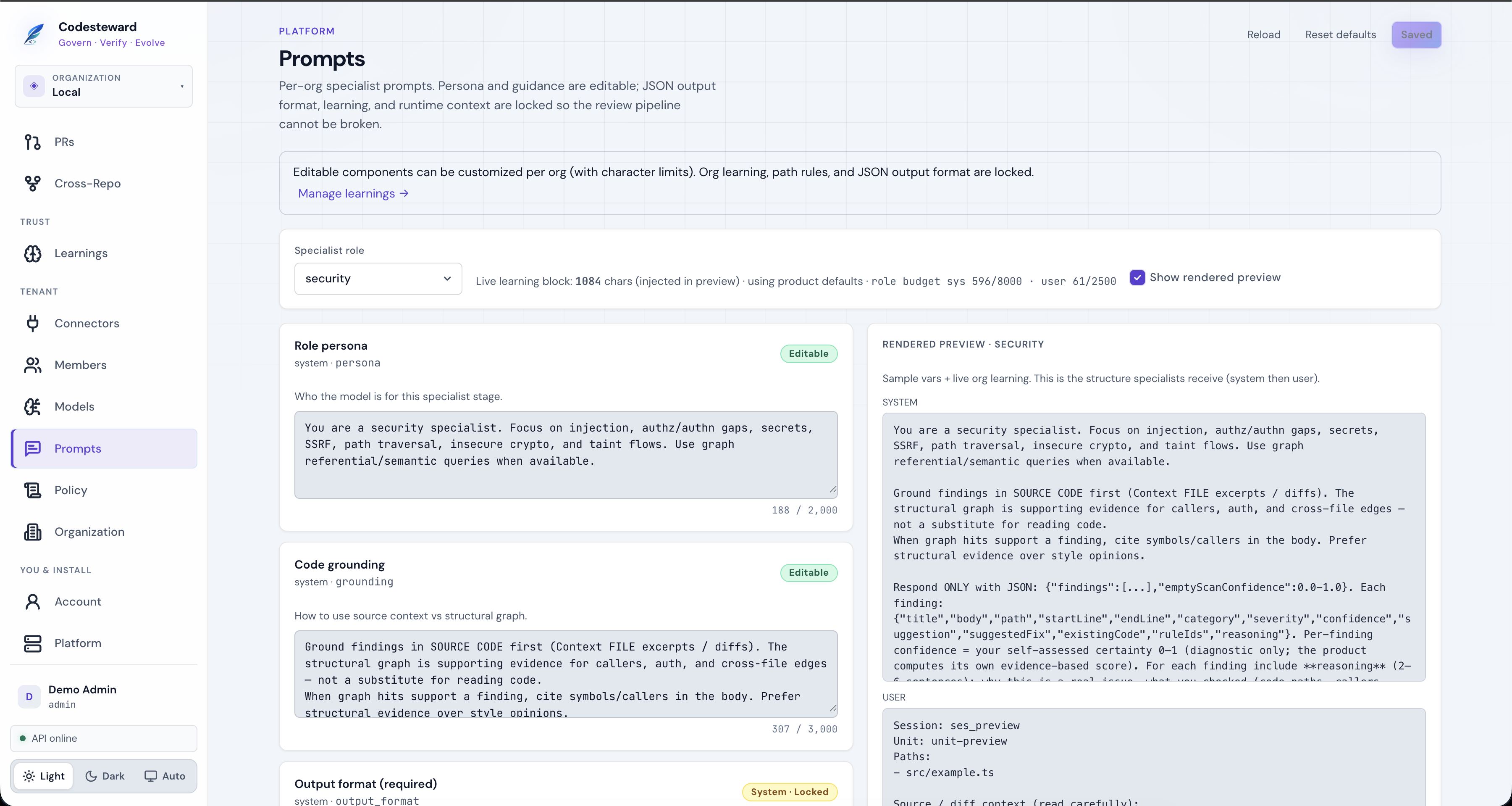
13. Prompts
Edit specialist persona and grounding per org. JSON output format, learning injection, and runtime context stay system-locked so the pipeline cannot be broken.
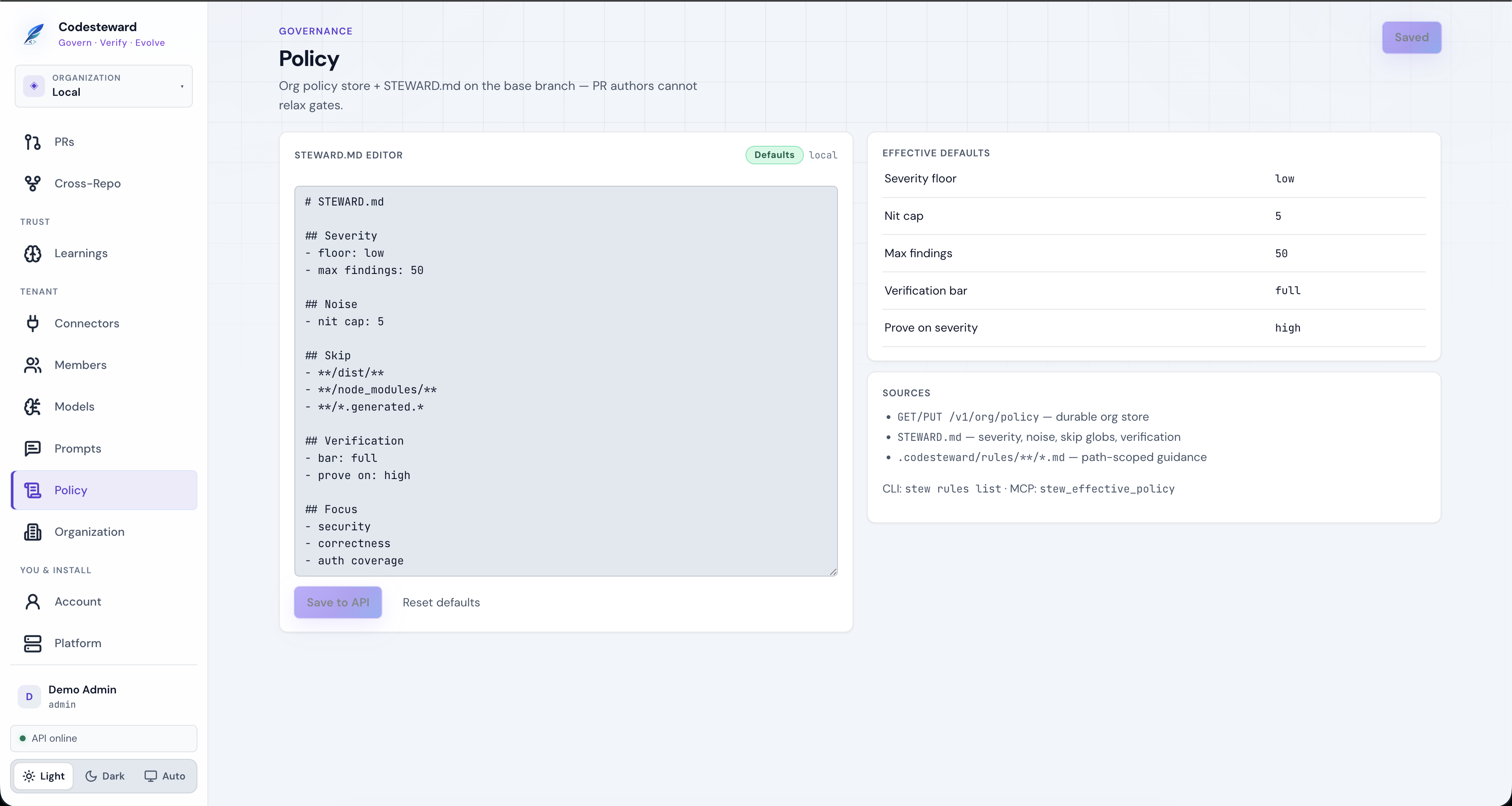
14. Policy (STEWARD.md)
Severity floor, nit cap, skip globs, verification bar, focus areas. Stored in the org policy API; repo STEWARD.md on the base branch still applies for PR authors (they cannot relax gates).
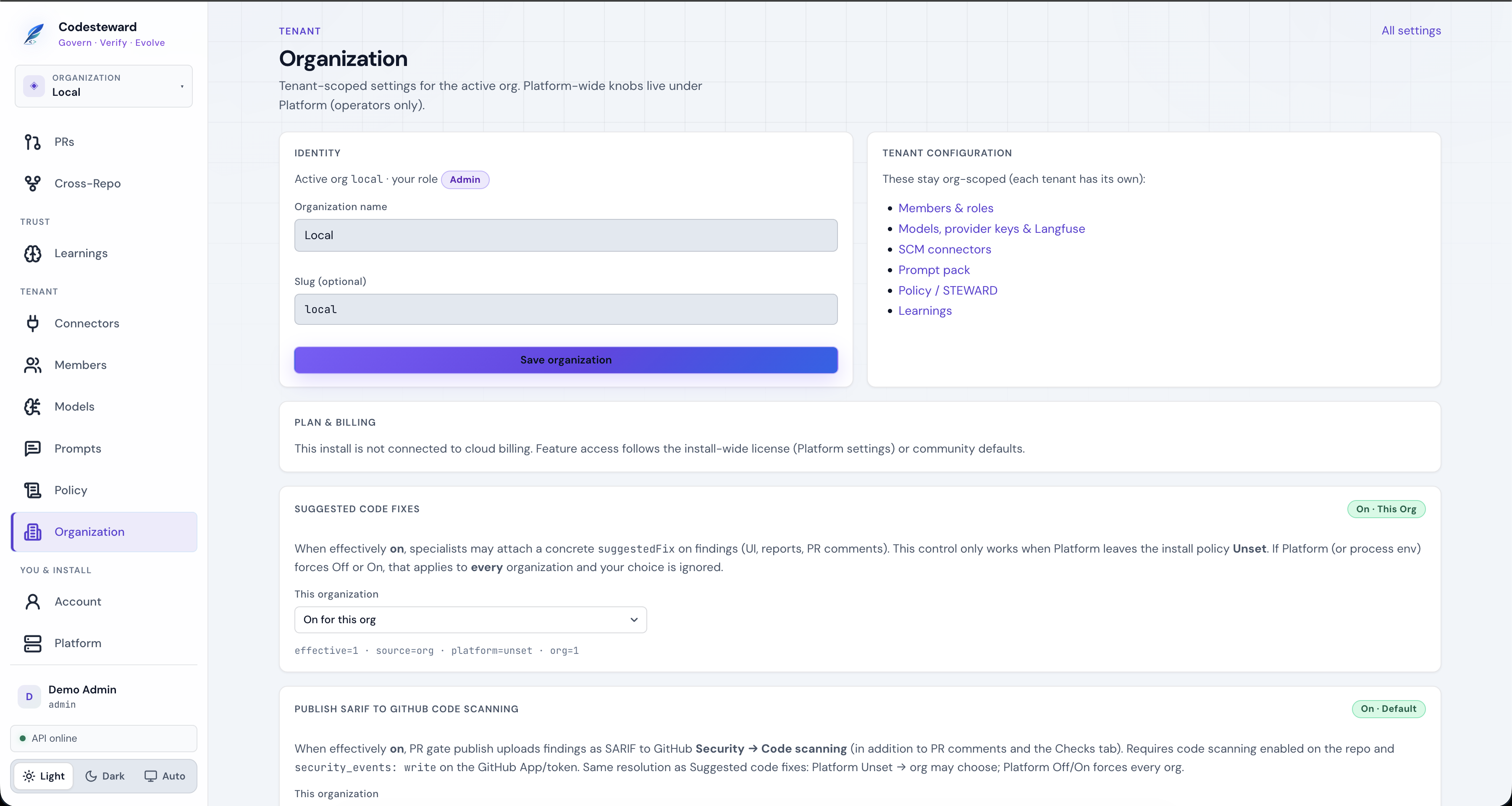
15. Organization
Tenant identity (name/slug), plan notes, feature toggles (suggested code fixes, SARIF publish), SCIM, and admin audit log.
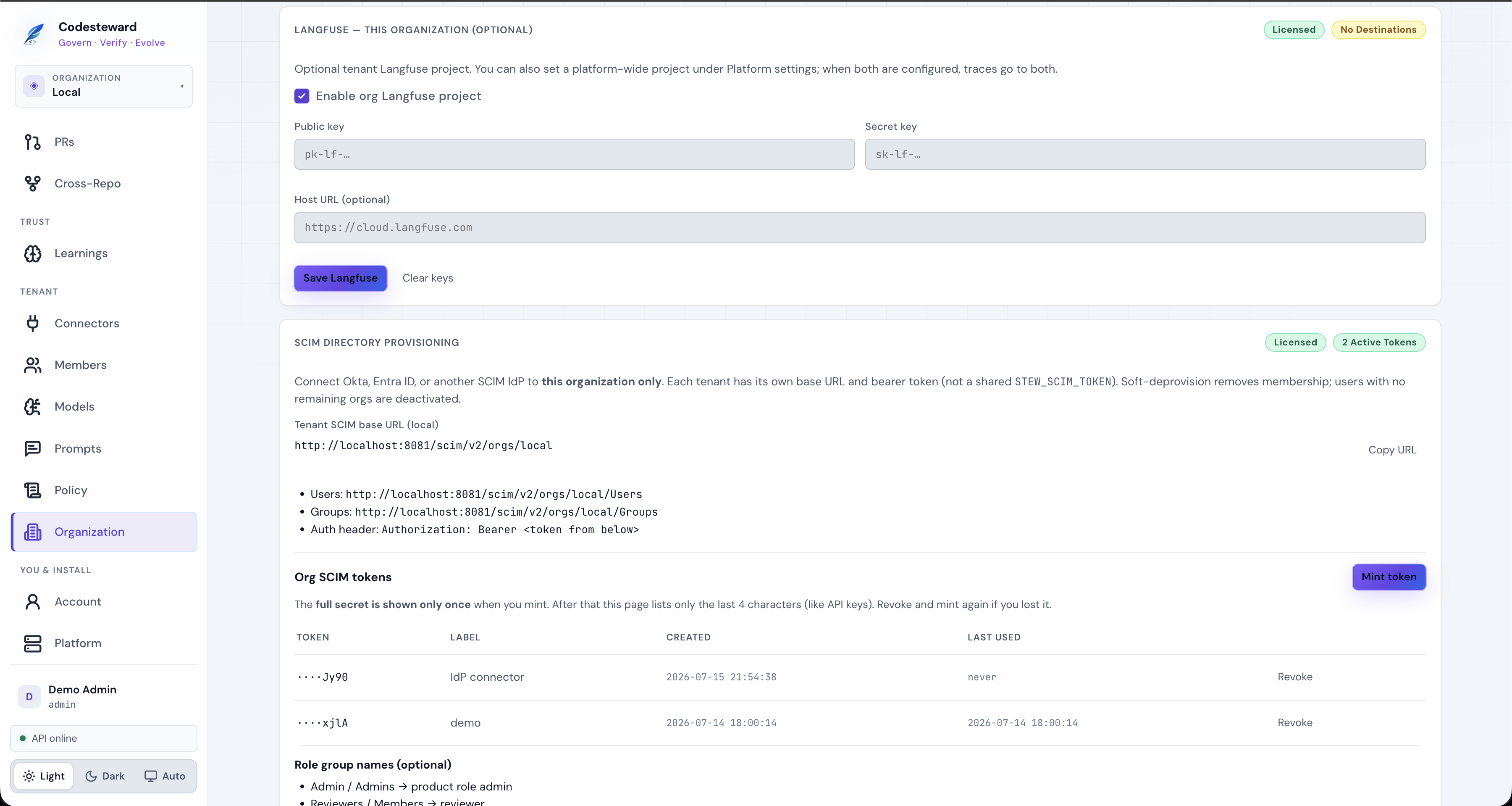
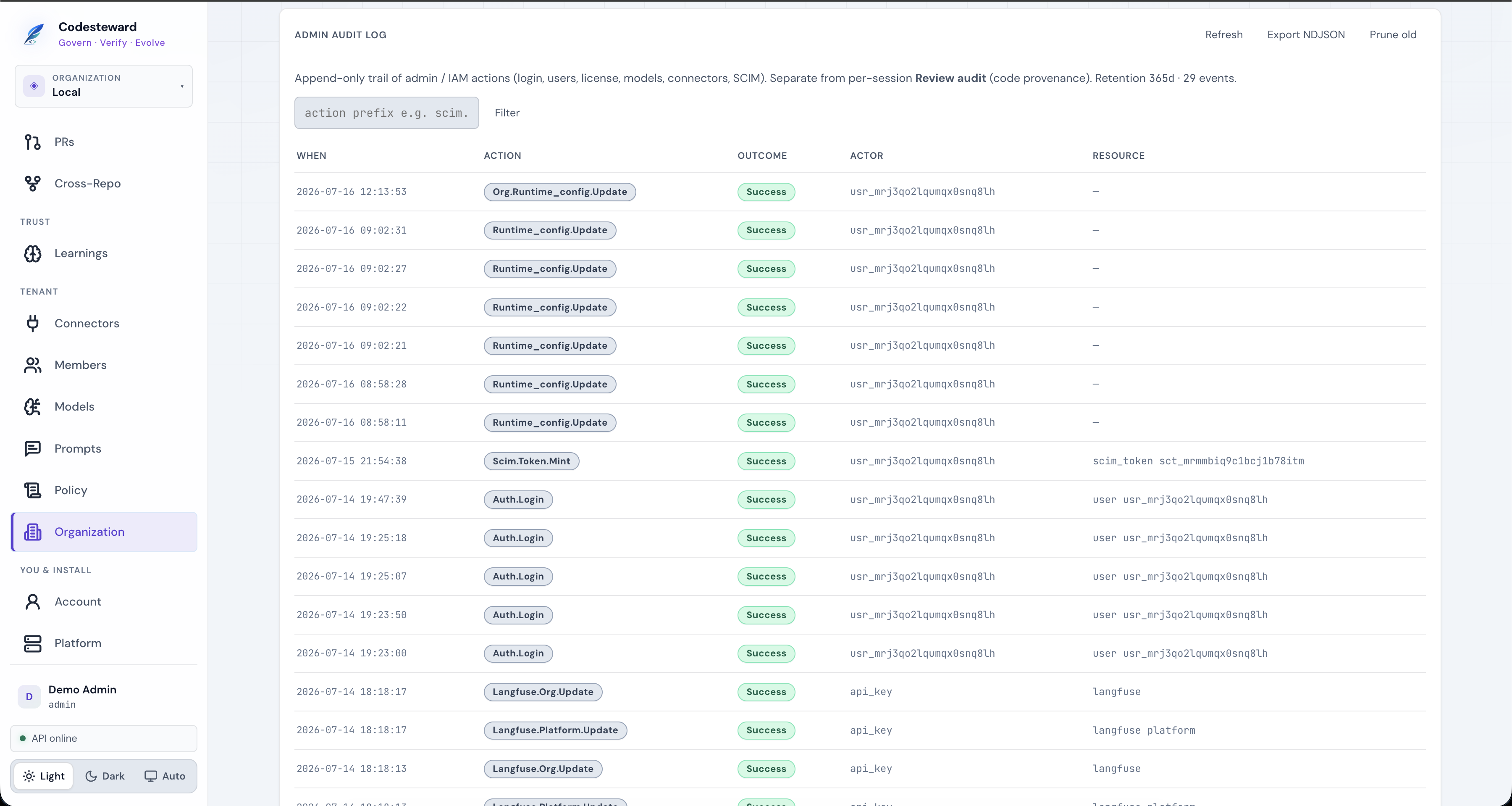
Admin audit is IAM/config trail (login, SCIM, connectors). Review audit on a session is code provenance — different exports.
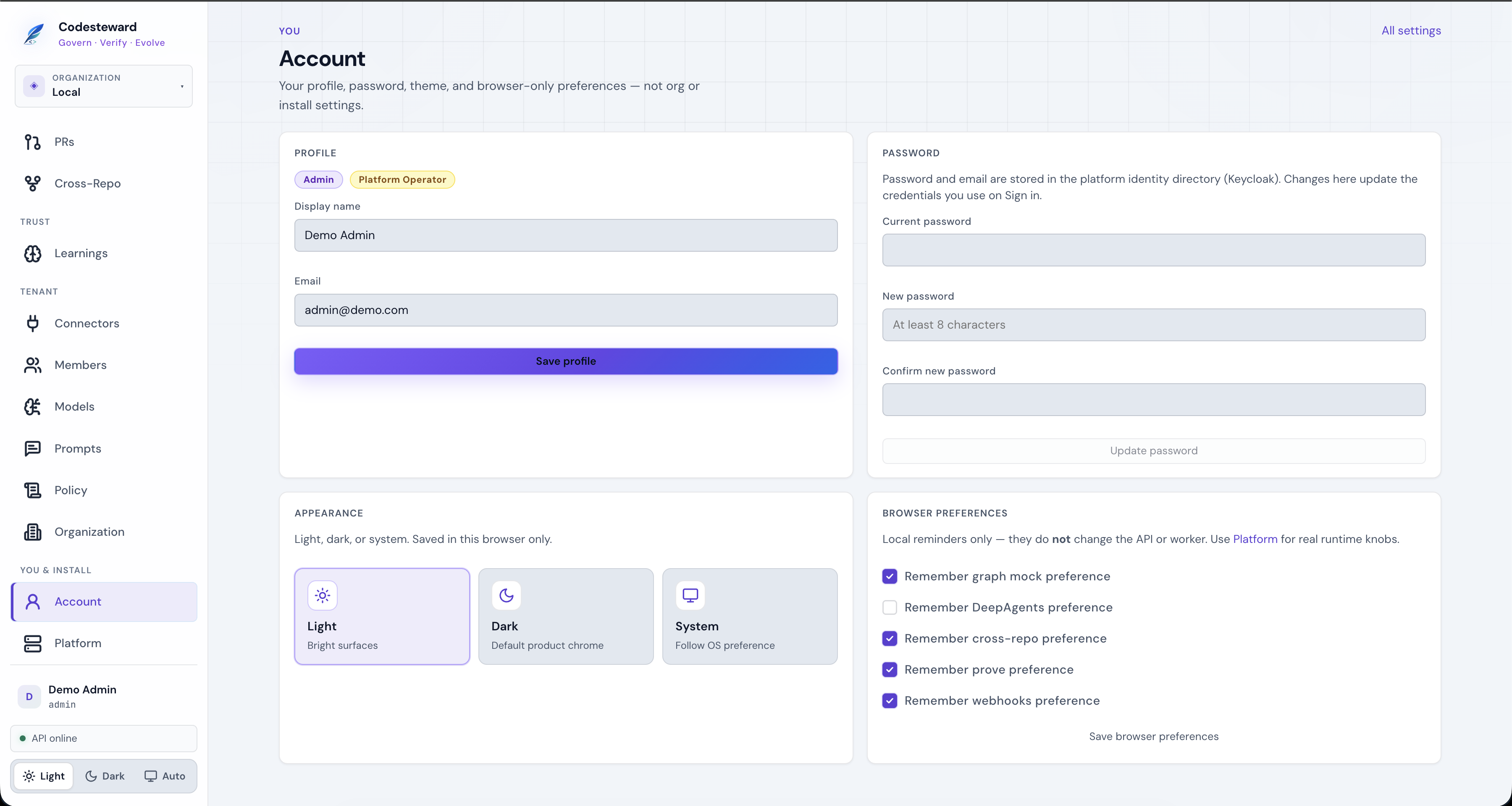
16. Account
Profile, password (Keycloak directory when in IdP mode), theme, and browser-only prefs (mock graph, DeepAgents, etc.). Does not change API/worker runtime.
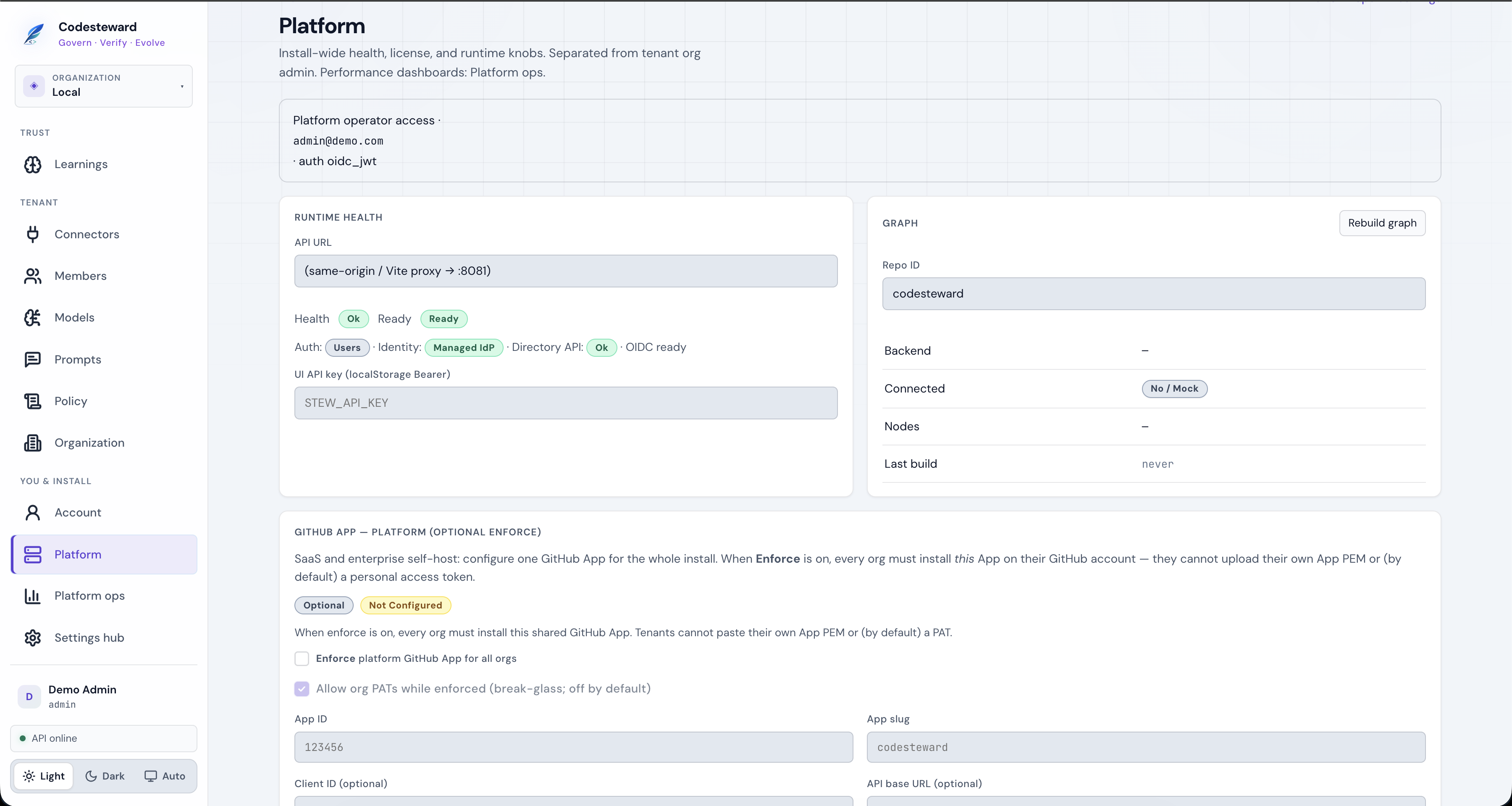
17. Platform (operators)
Install-wide health, identity status, graph rebuild, optional platform GitHub App enforce, license and runtime knobs. Tenant org admins cannot open these writes.
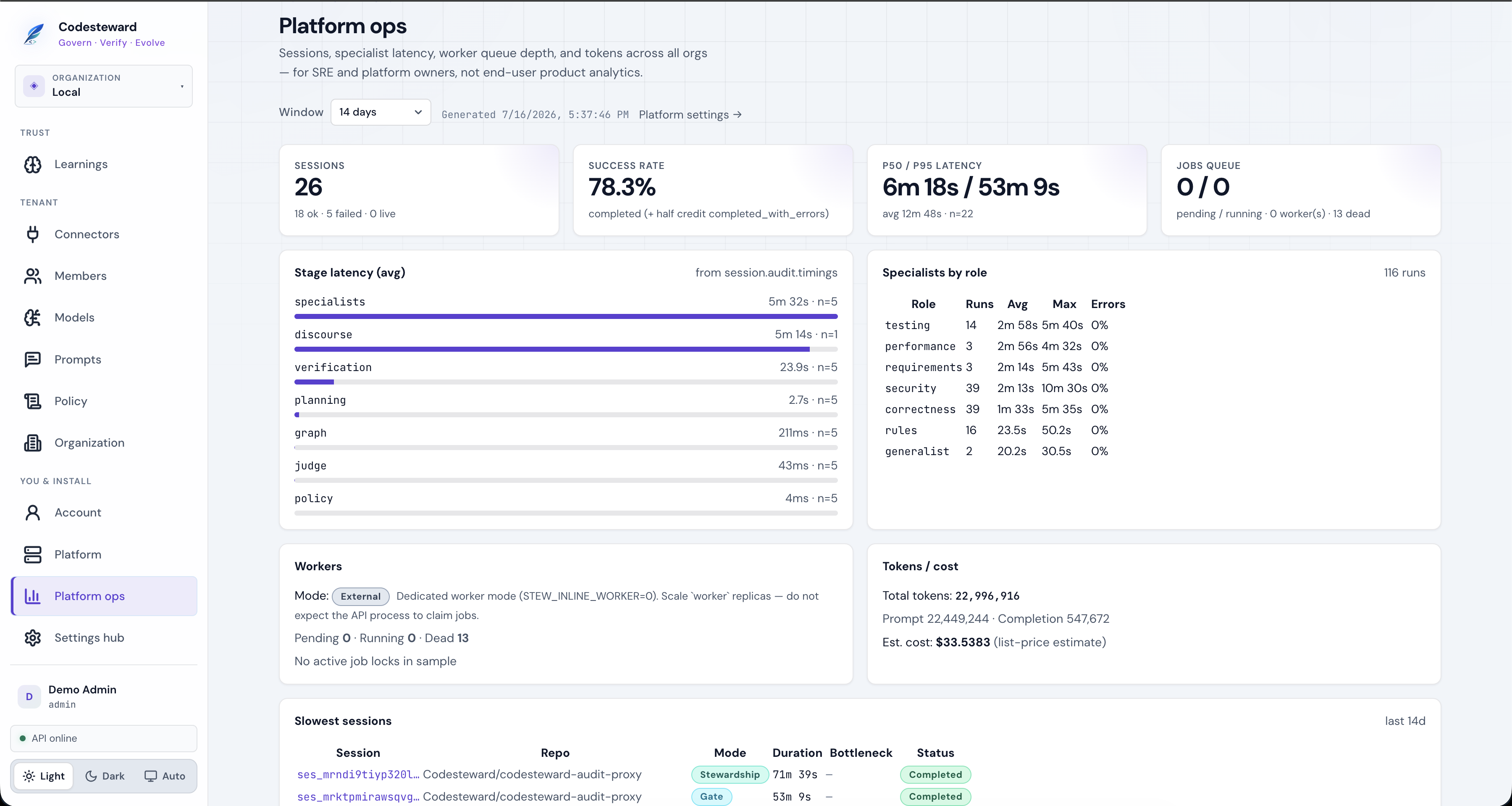
Platform ops
Cross-org SRE view: session latency by stage, specialist error rates, worker queue, token cost estimates, slowest sessions.
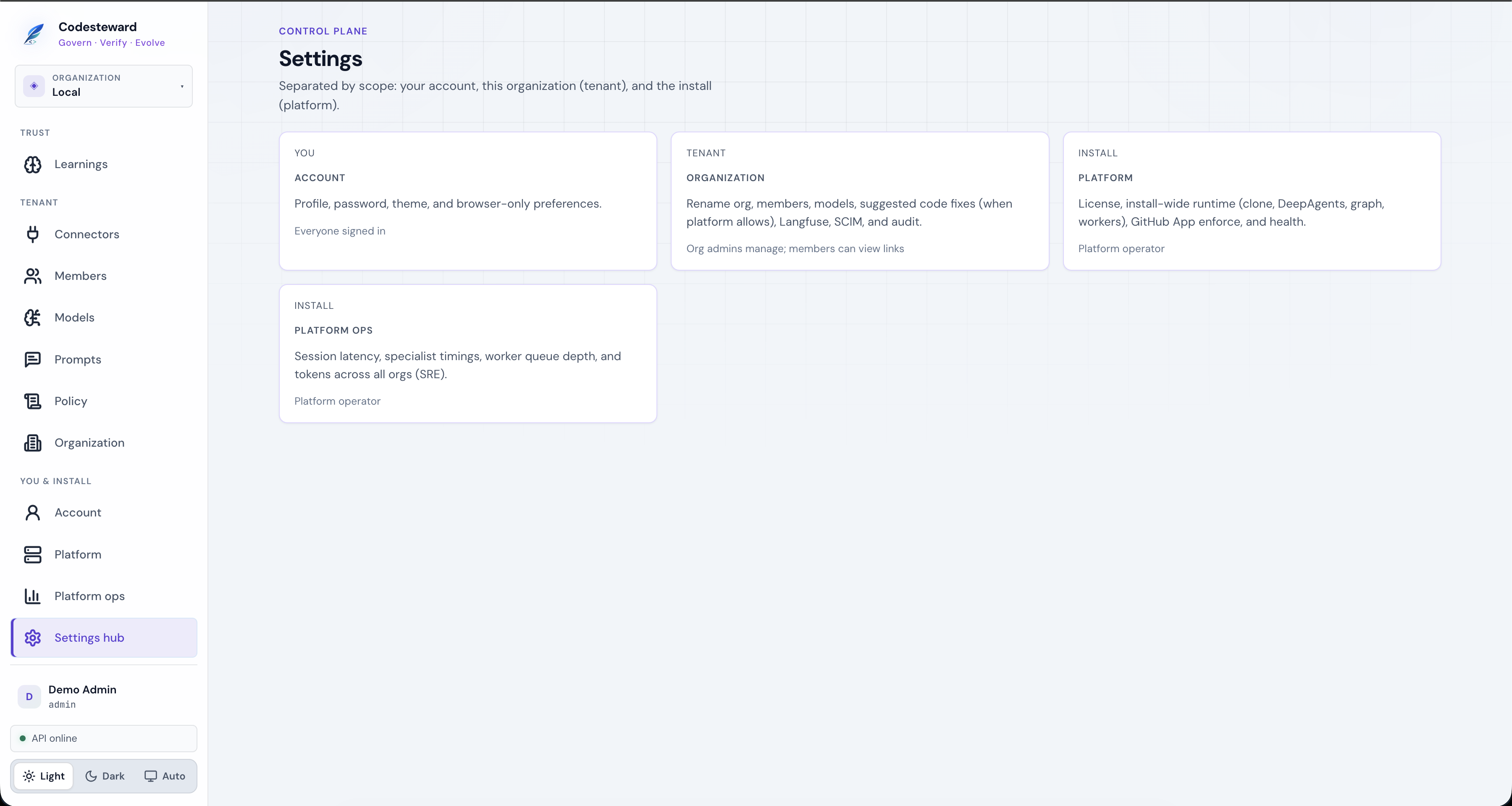
Settings hub
Map of scopes: You · Tenant · Install.
Suggested reading order
- This guide (orientation + screenshots)
- Review pipeline (what the worker does)
- Session audit (compliance export)
- Root repository README (install, CLI, Helm)
Screenshot index
| File | Screen |
|---|---|
onboarding.png | First-run org creation |
dashboard-home.png | Dashboard |
analytics-overview.png | Analytics |
sessions-start-gate.png | Gate start form + table |
session-blade-*.png | Session detail blade (pipeline, audit, evidence, tokens, running) |
findings-list.png | Findings |
reports-catalog.png | Reports |
pull-requests.png | PRs |
cross-repo-topology.png | Cross-repo |
learnings.png | Learnings |
connectors.png | Connectors |
members.png | Members |
models-*.png | Models / Langfuse |
prompts-specialists.png | Prompts |
policy-steward-md.png | Policy |
organization-*.png | Org settings, SCIM, admin audit |
account-settings.png | Account |
platform-settings.png | Platform |
platform-ops.png | Platform ops |
settings-hub.png | Settings hub |